Issues & Solutions Calibration Overview
Follow This Guide Alongside Issues & Solutions
Issues & Solutions explains the steps generically, but it does not always include every preparation step required for the LumenPnP. Some pages may ask you to change another setting before continuing, such as reducing the machine speed to 50% for the precise nozzle calibrations. Read the complete guide page in our docs before clicking Accept in Issues & Solutions.
You should also get into the habit of leveling the nozzle tips before jogging across the machine during calibration. Leveling the nozzles only means you're raising them to a safe height and helps prevent collisions with the feeders, datum board, discard been or PCB.
What Does the Issues & Solutions Calibration Actually Do?
Calibration is not a single adjustment. It is a series of measurements that teaches OpenPnP how the LumenPnP, cameras, nozzles, and physical reference points relate to each other.
During calibration, OpenPnP will learn:
- Where the primary and secondary calibration fiducials are located
- Where each nozzle is located relative to the top camera
- Where the bottom camera is located
- How each nozzle tip behaves as it rotates
- Which physical reference should be used when homing the machine
Each measurement builds on the ones completed before it. An inaccurate measurement early in the process can affect the calibration steps that follow it.
Why We Run Only Specific Calibration Steps
OpenPnP supports many different types of pick-and-place machines. Because of this, Issues & Solutions may display tasks that are useful for other machines but are unnecessary for the LumenPnP.
The LumenPnP is designed and configured to use a specific calibration process. Complete only the tasks included in this guide.
Understanding Issues & Solutions
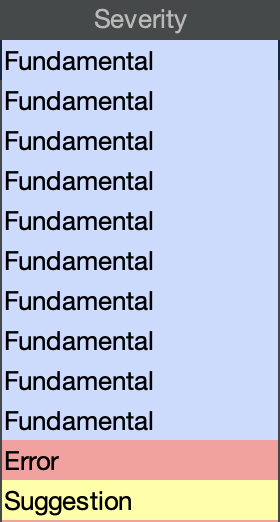
Issues & Solutions displays three types of tasks:
- Fundamental: OpenPnP considers this part of its standard machine setup. Complete only the Fundamental tasks included in this guide.
- Suggestion: An optional change that OpenPnP believes may improve the configuration. Do not complete these unless this guide specifically directs you to.
- Error: A possible configuration or machine problem. Some errors may appear temporarily during setup, but errors involving connection, movement, homing, or vision should be investigated before continuing.