Calibrate precise camera ↔ nozzle N2 offsets
Step 1 of 7
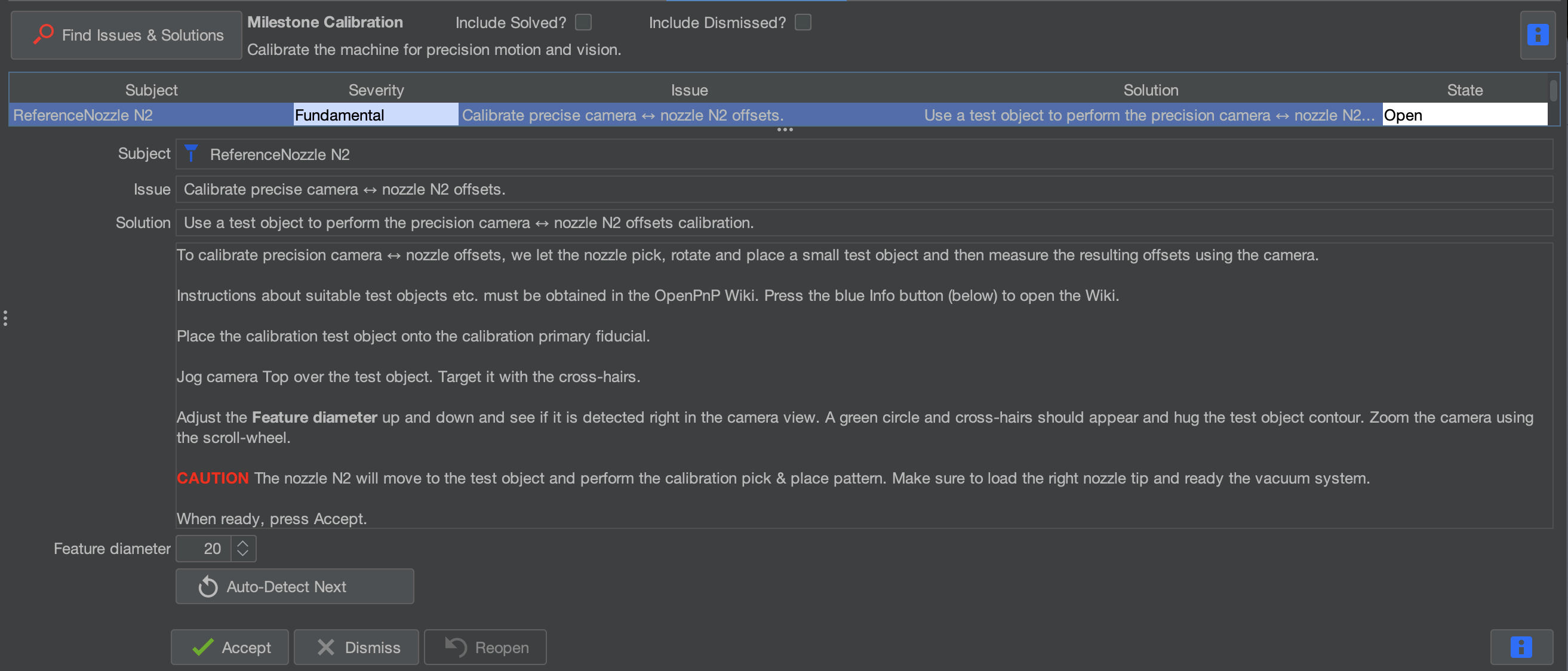
Step 1: Select Calibrate precise camera > nozzle N2 offsets Task
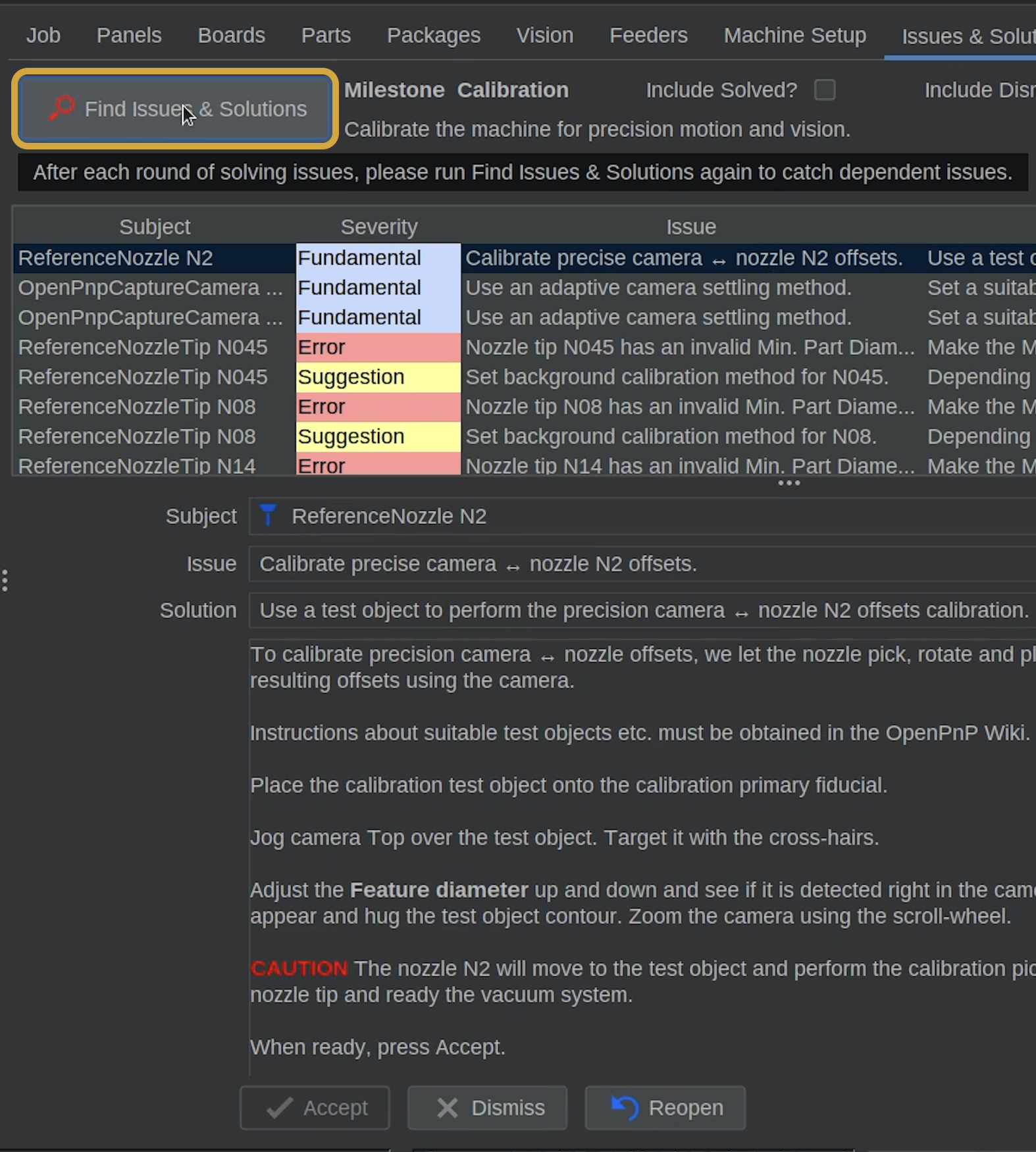
For this task, OpenPnP will use the same calibration token to precisely measure the offset between the top camera and Nozzle N2. This is the same thing we just did, but for the second nozzle, N2.
- After clicking Find Issues & Solutions, locate and select Calibrate precise camera > nozzle N2 offsets.
Step 2 of 7

Step 3: Center the Calibration Token on Fiducial
Keep Machine Speed at 50%
This automated calibration involves repeated nozzle movements, rotations, and picking up and placing the calibration token.
Confirm that the machine speed is set to 50% before continuing. We'll switch it back after this task.
- If needed, reposition the calibration token so it is centered on the primary fiducial again.
- Make sure the token is clean and unobstructed before continuing.
- If the top camera can't clearly see the calibration token, use the X/Y Jog Controls to position the top camera so it can clearly see the calibration token, which should be covering the primary fiducial.
Keep the Calibration token Clean
Grease or oils from your fingers can possibly cause the token to stick to the primary fiducial, making it harder for the smaller N045 nozzle tip to pick up.
Handle the token by its edges whenever possible, and make sure its contact surfaces are clean.
Step 3 of 7
Step 4: Center the Top Camera and Detect the Token
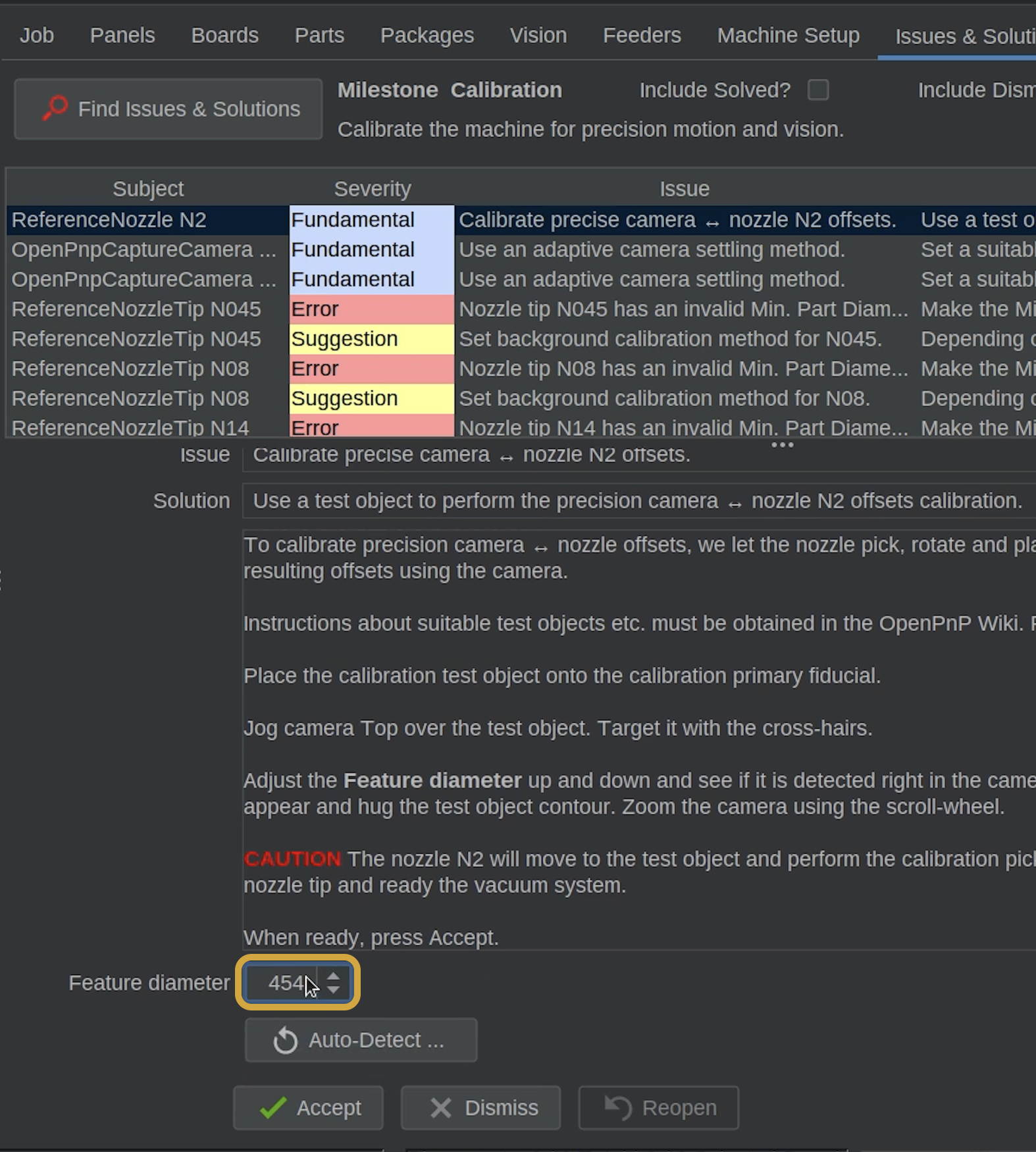
- Locate the Feature Diameter for this task.

- It should use the same Feature Diameter size as the last task, which makes things easy. If needed, adjust the Feature Diameter until OpenPnP correctly detects the circular calibration token with a solid green circle.
Auto-Detect Is an Option
If it didn't save the diameter from the last task, you can use Auto-Detect.
Always visually confirm that the detected circle matches the calibration token before continuing.
Step 4 of 7
Step 5: Start and Monitor the Calibration
Confirm Machine Speed Is Still 50%
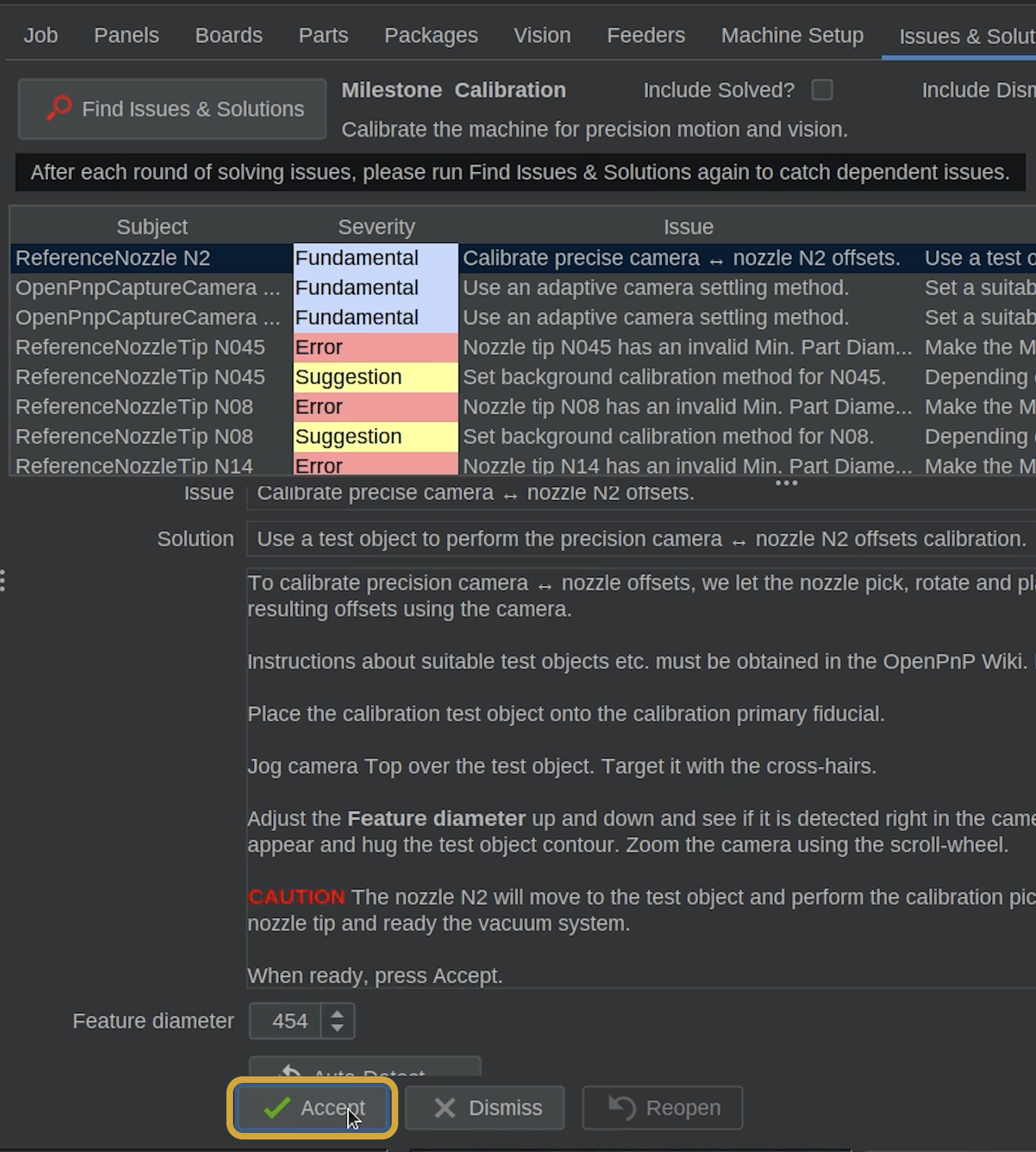
Before clicking Accept, check the Speed slider in Machine Controls one more time.
Do not begin until the machine speed is set to 50%.
- Once the calibration token is correctly detected, click Accept to begin the automated calibration.
- OpenPnP will first detect the token's circle and precisely center the top camera over it.
- Nozzle N2 will then pick up the token using its N045 nozzle tip, rotate it, and place it back onto the primary fiducial.
- The top camera will measure the token's new position and compare it to the expected position.
- OpenPnP will repeat this process several times to calculate the precise nozzle offset.
This Calibration Takes Some Time
The machine will perform several pickup, rotation, placement, and camera measurement cycles.
This is expected. Allow the calibration to finish and watch for any problems picking up or placing the token.
Watch for Pickup or Detection Issues
Make sure N2 is successfully picking up and placing the calibration token.
Because the N045 nozzle tip is smaller, pay close attention to whether it is picking up the token reliably.
If the token sticks to the fiducial, slips during pickup or placement, or OpenPnP detects the wrong circular feature, the calibration may need to be repeated.
Step 5 of 7
Step 6: Refresh Issues & Solutions
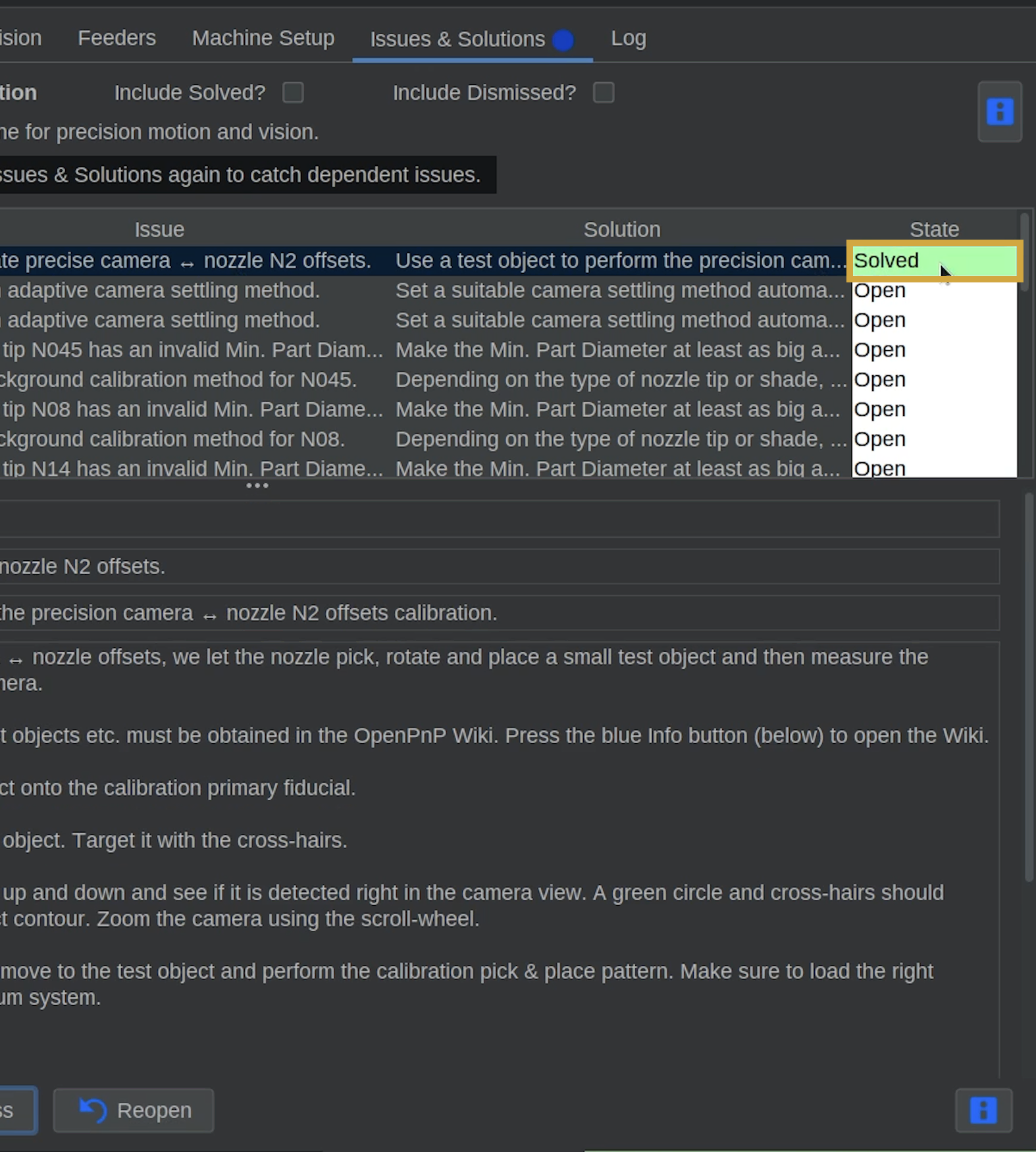
- Once the calibration finishes, confirm that the Issues and Solutions task is marked Solved.
- Click Find Issues & Solutions to refresh the task list.
Precise N2 Offset Calibrated
OpenPnP has completed the precise offset calibration for Nozzle N2.
Both N1 and N2 now have their precise camera-to-nozzle offsets calibrated.
Step 6 of 7
Step 7: Return Machine Speed to 100%
Now that both precise nozzle offset calibrations are complete, we can return the LumenPnP to its normal speed.
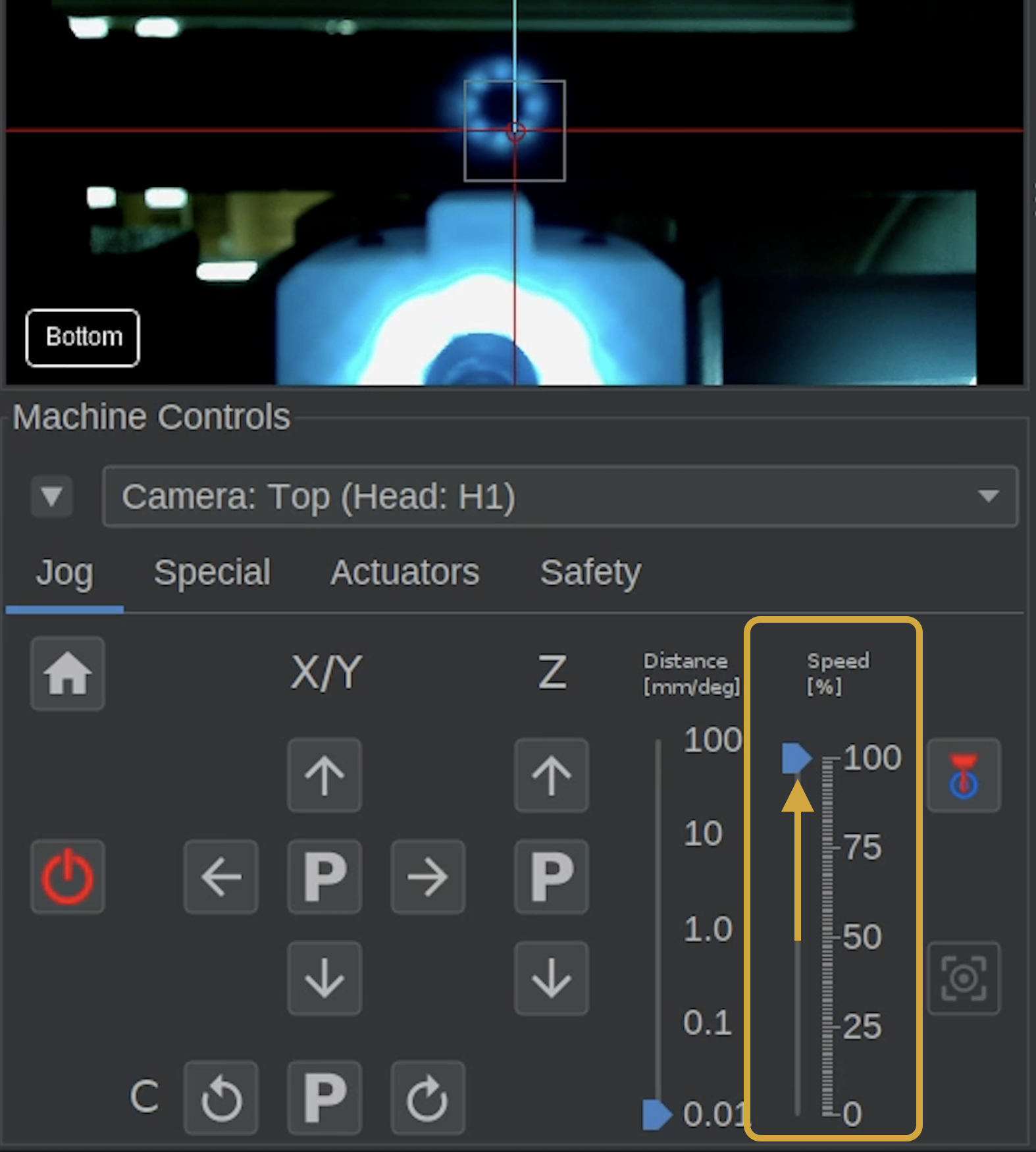
- In Machine Controls, locate the Speed slider, to the right of the jog distance slider.
- Move the slider back to 100%.
- Confirm the machine speed is set to 100% before continuing.

Step 7 of 7
Next Steps
Machine Speed Restored
Your LumenPnP is now back to its normal operating speed and ready for the next calibration task.
Next, we'll configure the Top & Bottom Camera Settling Method to ensure OpenPnP captures images after camera movement has stabilized.
You can now return the machine speed to its normal setting.