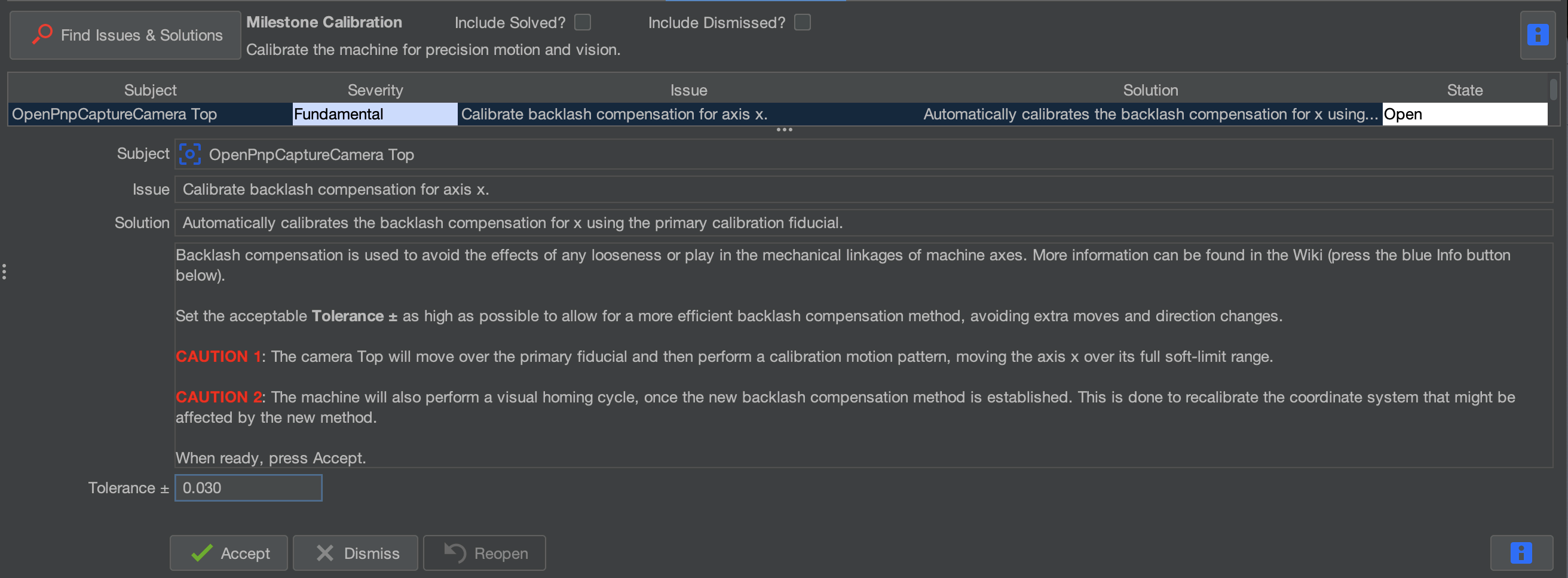
Calibrate backlash compensation for axis x (Optional)
These steps are optional, but if you want to run this for X and Y, and you see improvements, please let us know at https://support.opulo.io
These steps can take up to 15 mins each to complete.
What This Step Does
This step measures backlash in the X axis and configures OpenPnP's built in backlash compensation. The LumenPnP should rarely need this, as it uses one-sided positioning to minimize the effects of backlash during normal operation.
Only perform this step when troubleshooting positioning accuracy issues. If backlash compensation produces a noticeable improvement, it may indicate loose belts or another mechanical issue that should be corrected.
Start the Backlash Calibration

Click accept to begin the calibration.
OpenPnP will automatically move the machine to the correct position and begin measuring backlash in the X axis.
The machine will move back and forth in small increments and at different speeds while measuring the position of the fiducial.
The less stable your table is, the longer this step could take to complete.
Once the backlash compensation for X is completed, OpenPnP will calculate the backlash value automatically.
Complete the Calibration
Once the process finishes and the issue is marked as Solved, click: