Finishing Touches
Step 1 of 6
Step 1: Change the Homing Method
Now that calibration is complete, we'll configure the LumenPnP to use the primary fiducial for precise homing instead of relying only on the initial mechanical home position.
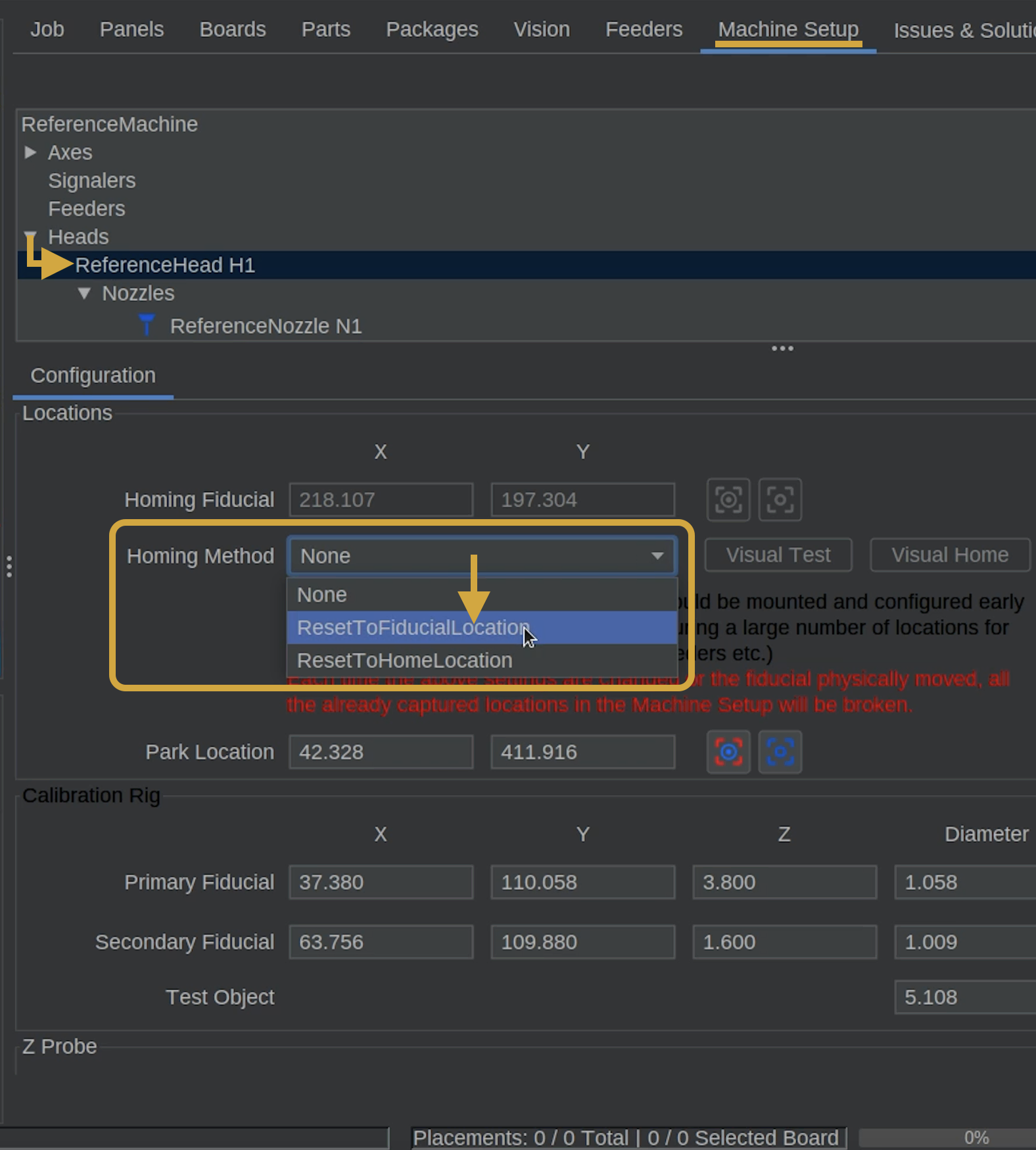
- In Machine Setup, navigate to Heads > ReferenceHead H1.
- Locate the Homing Method dropdown menu.
- Change the setting from None to ResetToFiducialLocation.
How Homing Will Work
(Don't home the LumenPnP yet.) When you home your LumenPnP, it will first locate its mechanical home position, then use the top camera to find the primary fiducial and establish a more precise position.
The machine will no longer remain at the front-left corner after homing.
Step 2 of 6
Step 2: Update the Homing Fiducial Coordinates
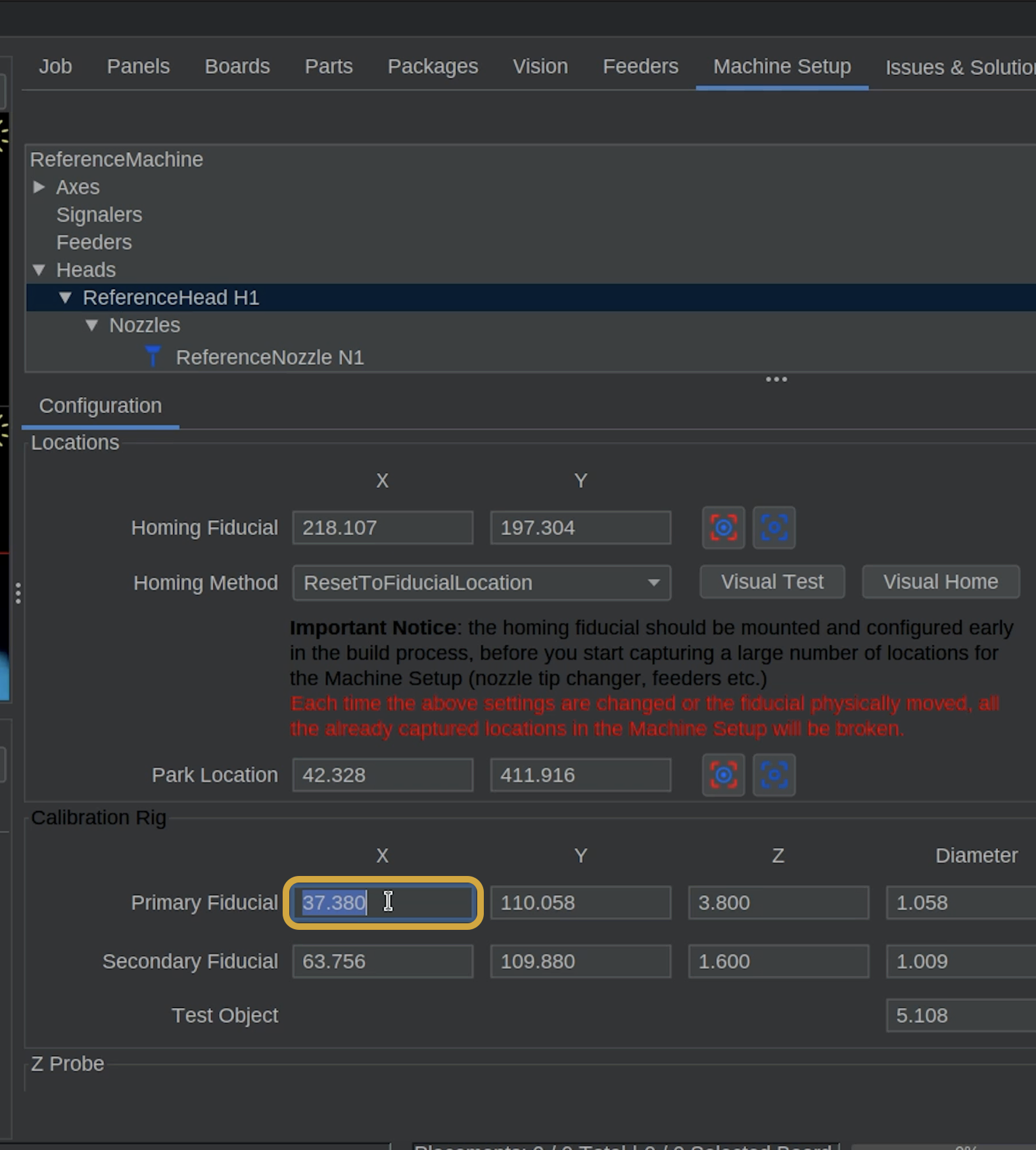
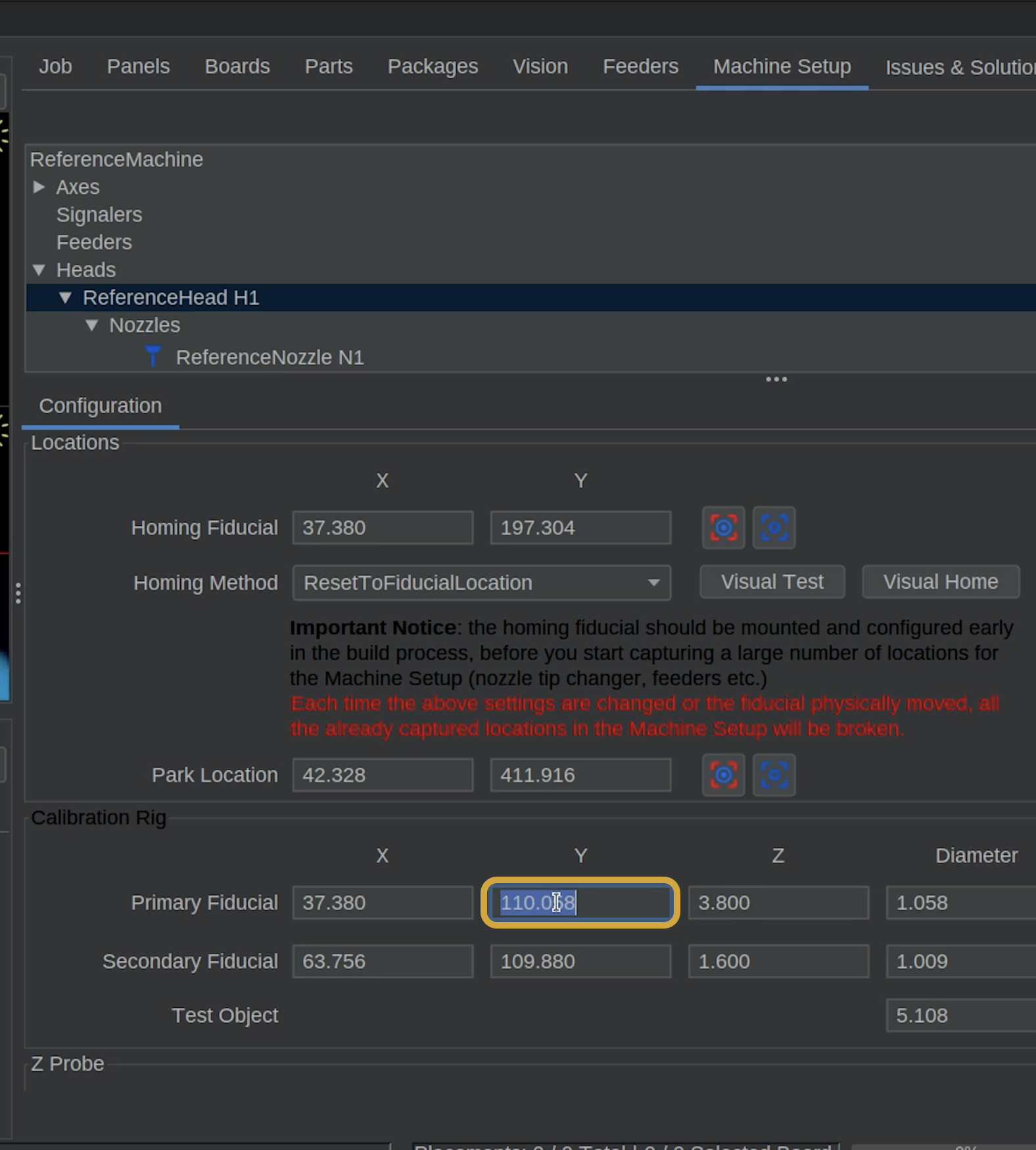
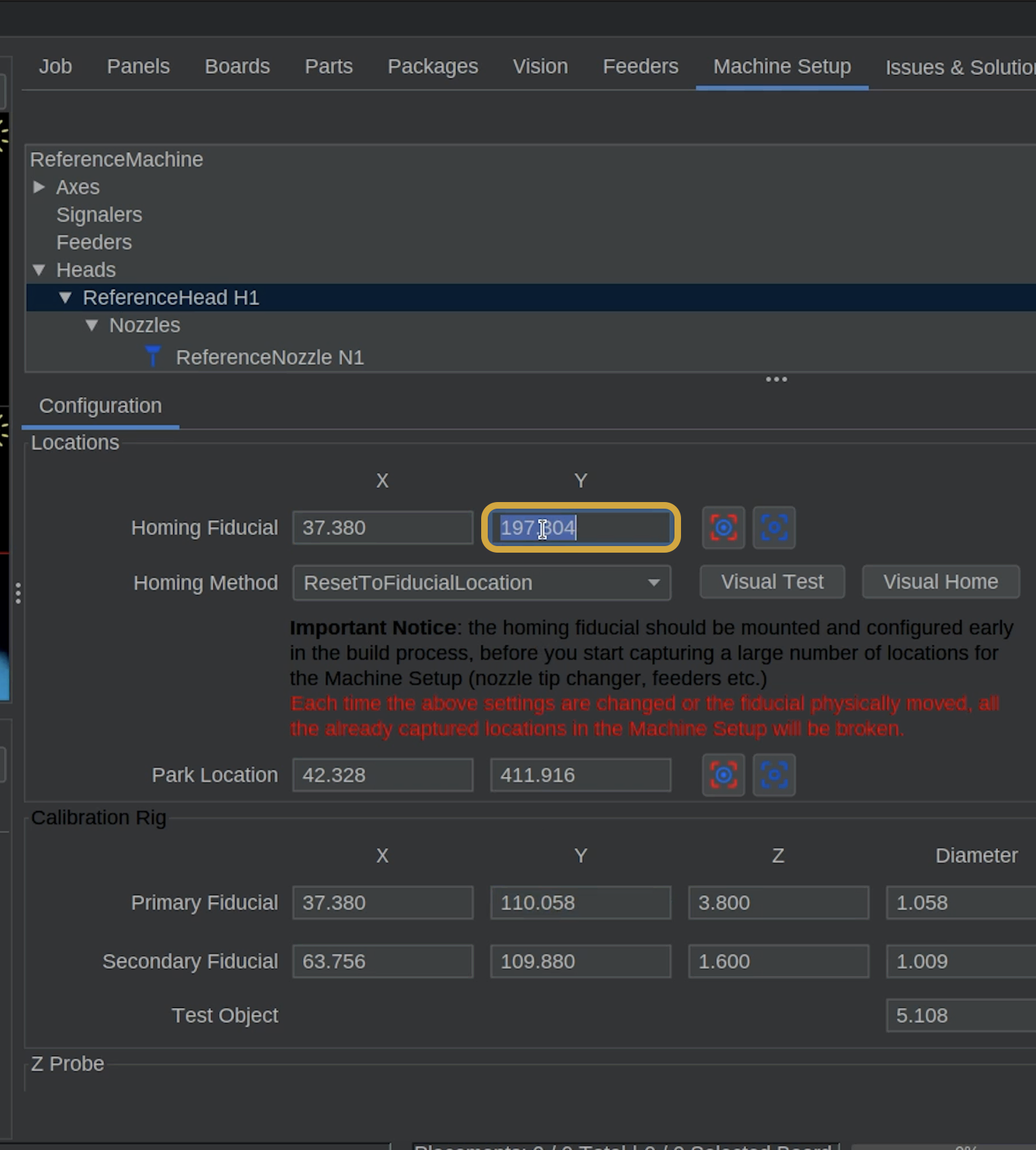
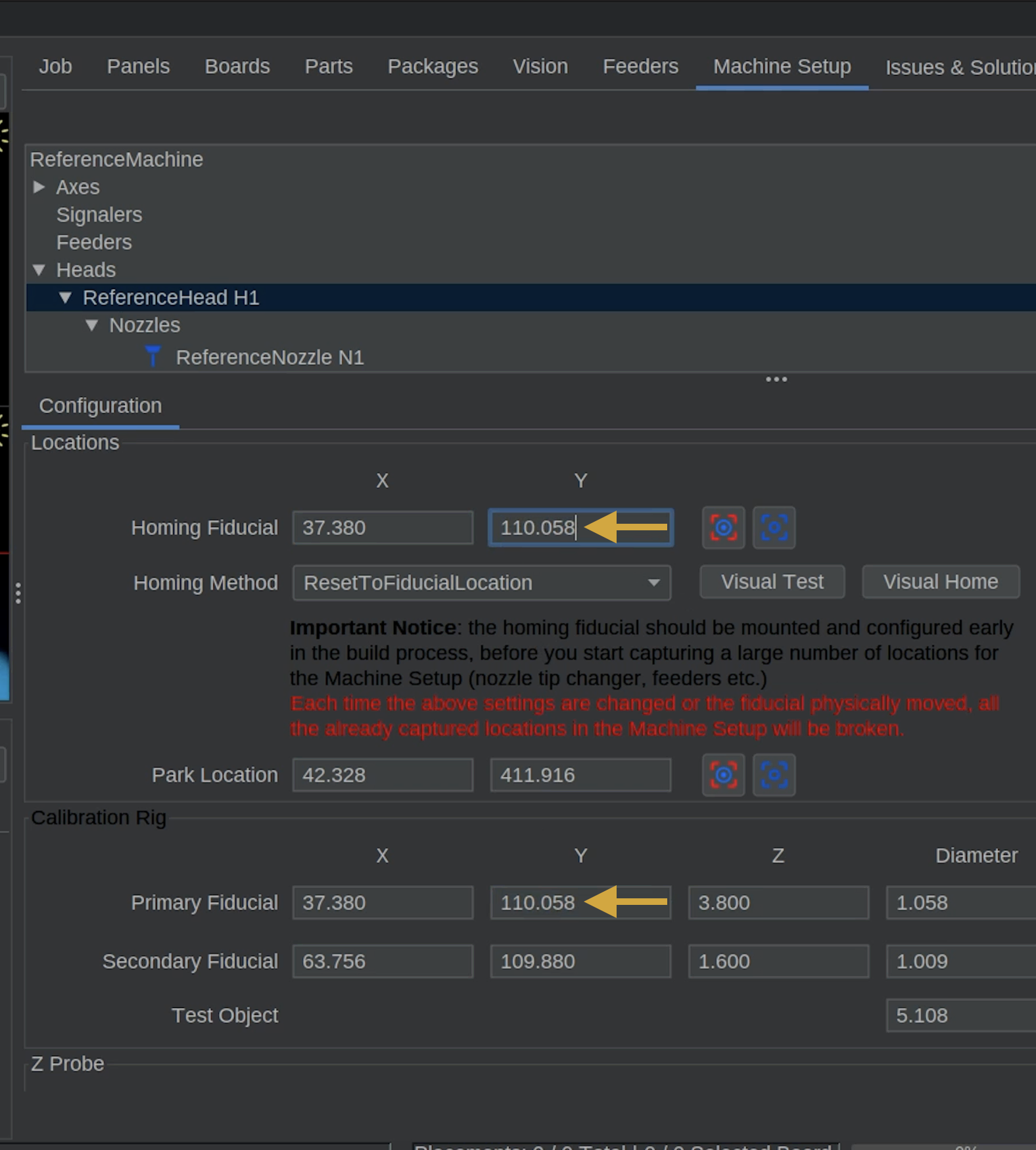
Next, we'll copy the calibrated primary fiducial's X and Y coordinates into the homing fiducial coordinates.
Do Not Change the Primary Fiducial Coordinates
The primary fiducial coordinates were established during calibration and must remain unchanged.
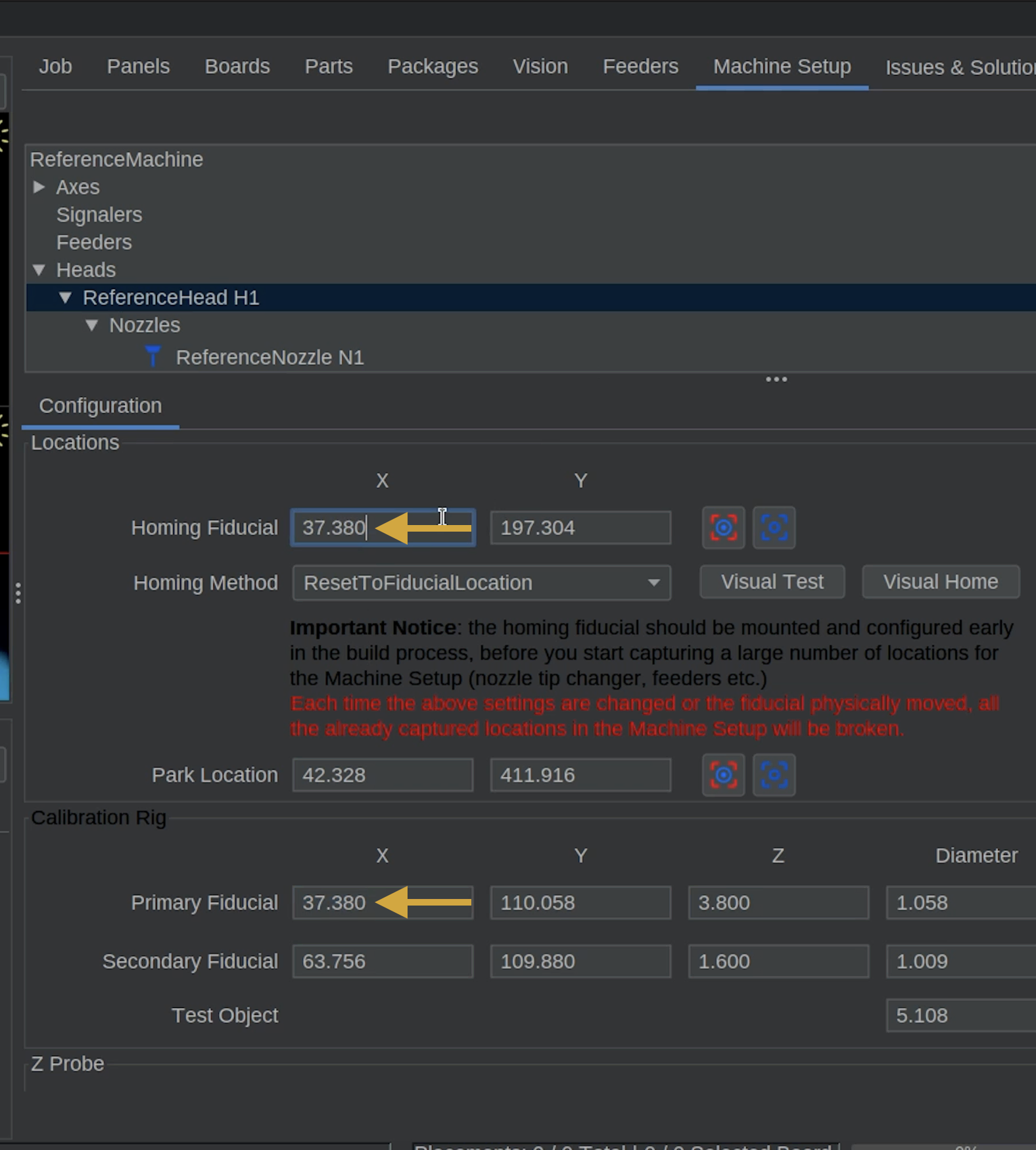
Only update the Homing Fiducial X and Y coordinates to match the Primary Fiducial X and Y coordinates.
- While still in Machine Setup > Heads > ReferenceHead H1, locate the Primary Fiducial Coordinates.
- Find and copy the X value for the primary fiducial.
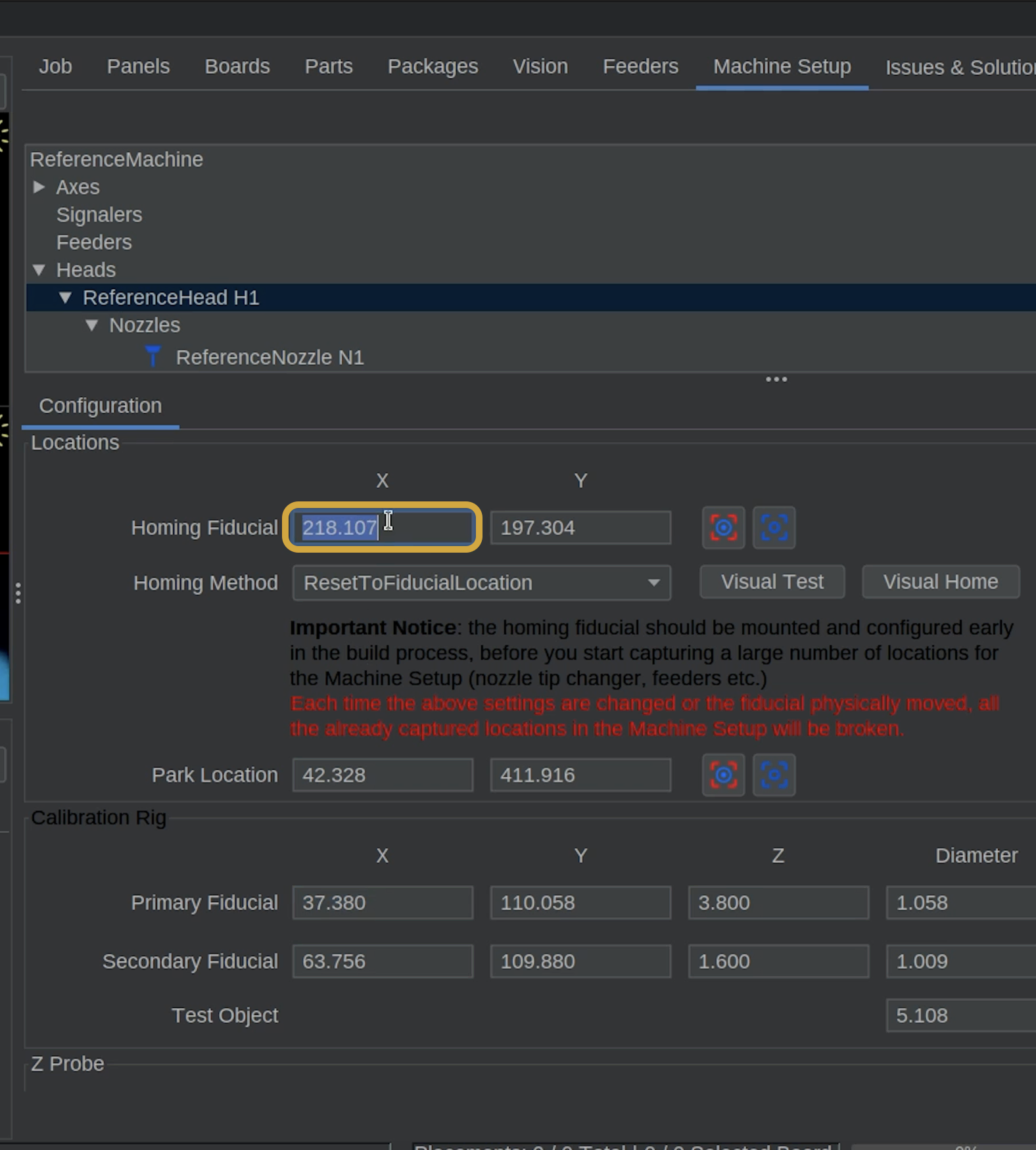
- Locate the Homing Fiducial Coordinates.
- Update the Homing X value to exactly match the Primary Fiducial X value.
- Double-check that the X values match and that the original Primary Fiducial Coordinates have not changed.
- Go back to the primary fiducial coordinates and copy the Y value for the primary fiducial.
- Then go back to the Homing Fiducial Coordinates.
- Update the Homing Y value to exactly match the Primary Fiducial Y value.
- Double-check that the Y values match and that the original Primary Fiducial Coordinates have not changed.
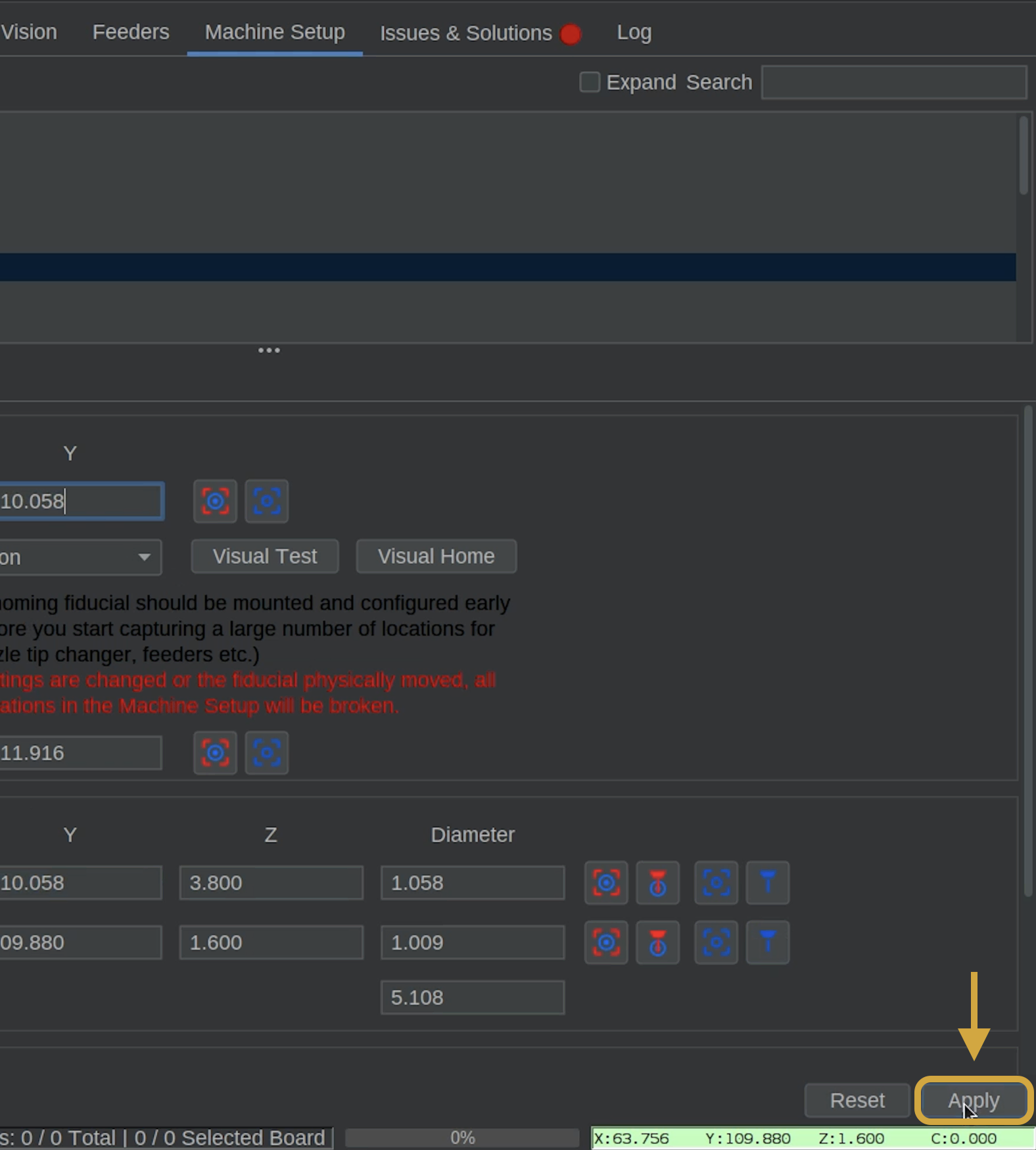
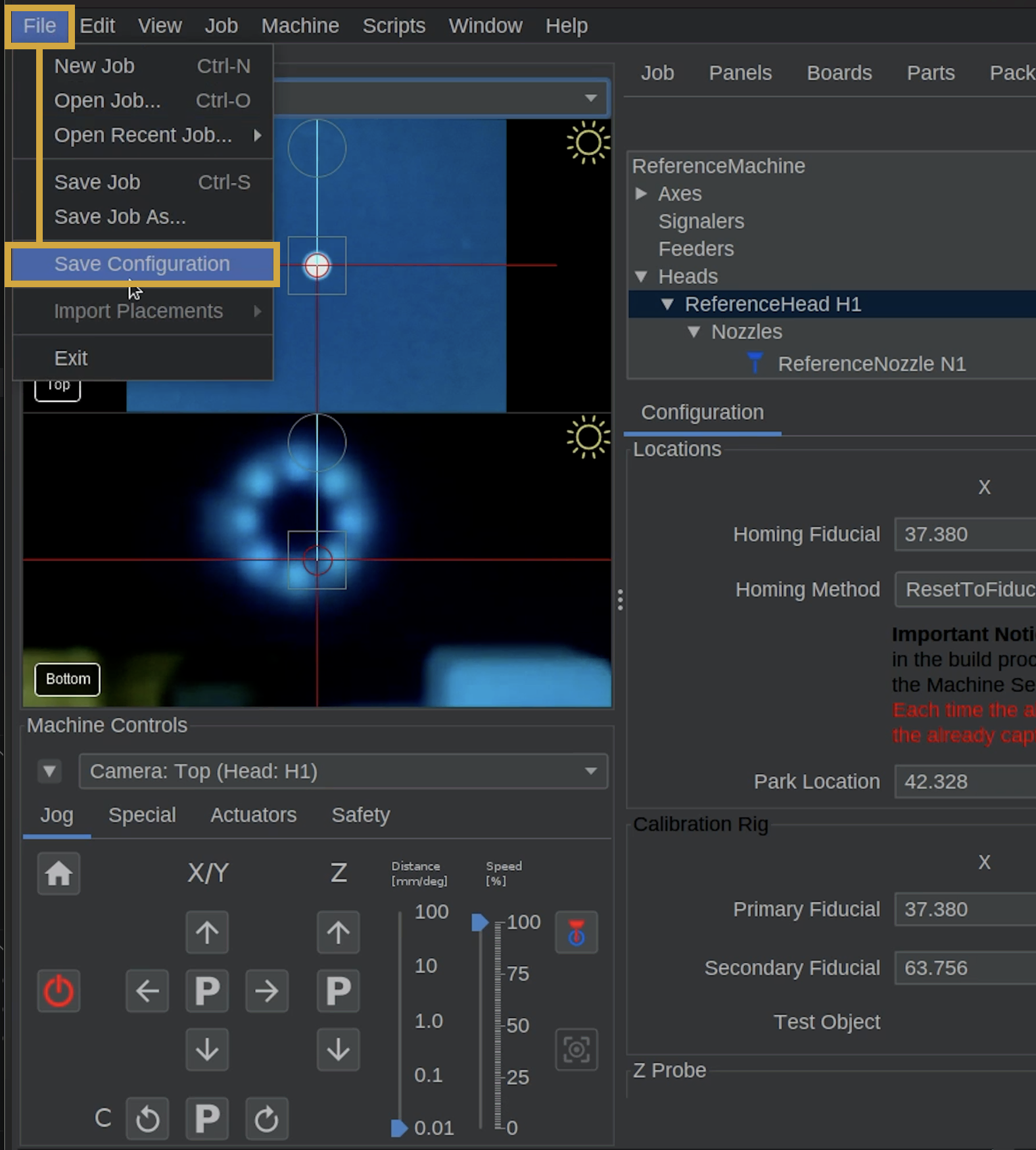
- Click the apply button in the bottom right of OpenPnP.
- Locate File in the top left of OpenPnP, and Select Save Configuration.
Step 3 of 6
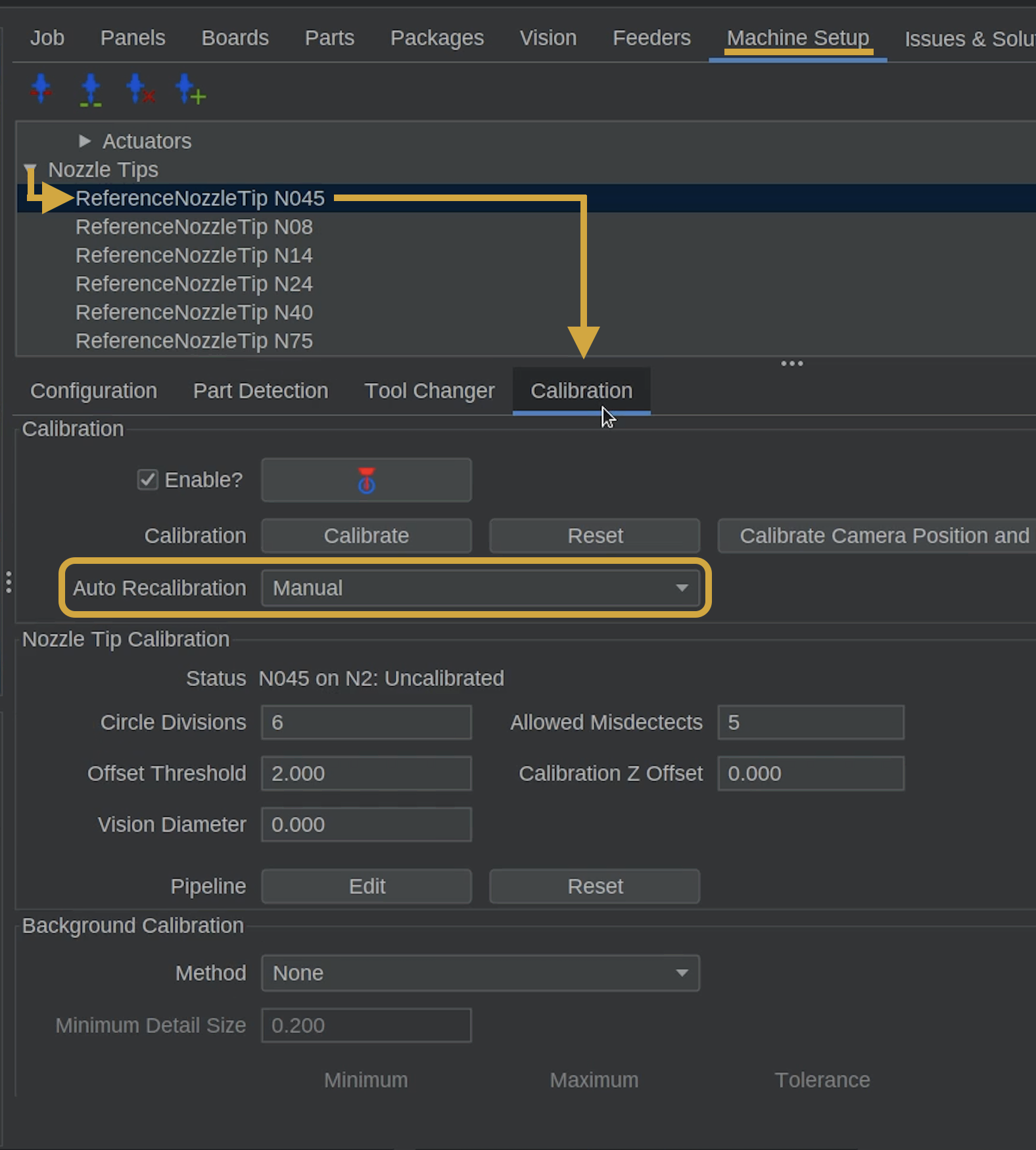
Step 3: Enable Auto Recalibration for N08
We'll now configure OpenPnP to automatically calibrate nozzle tip runout when nozzle tips are changed.
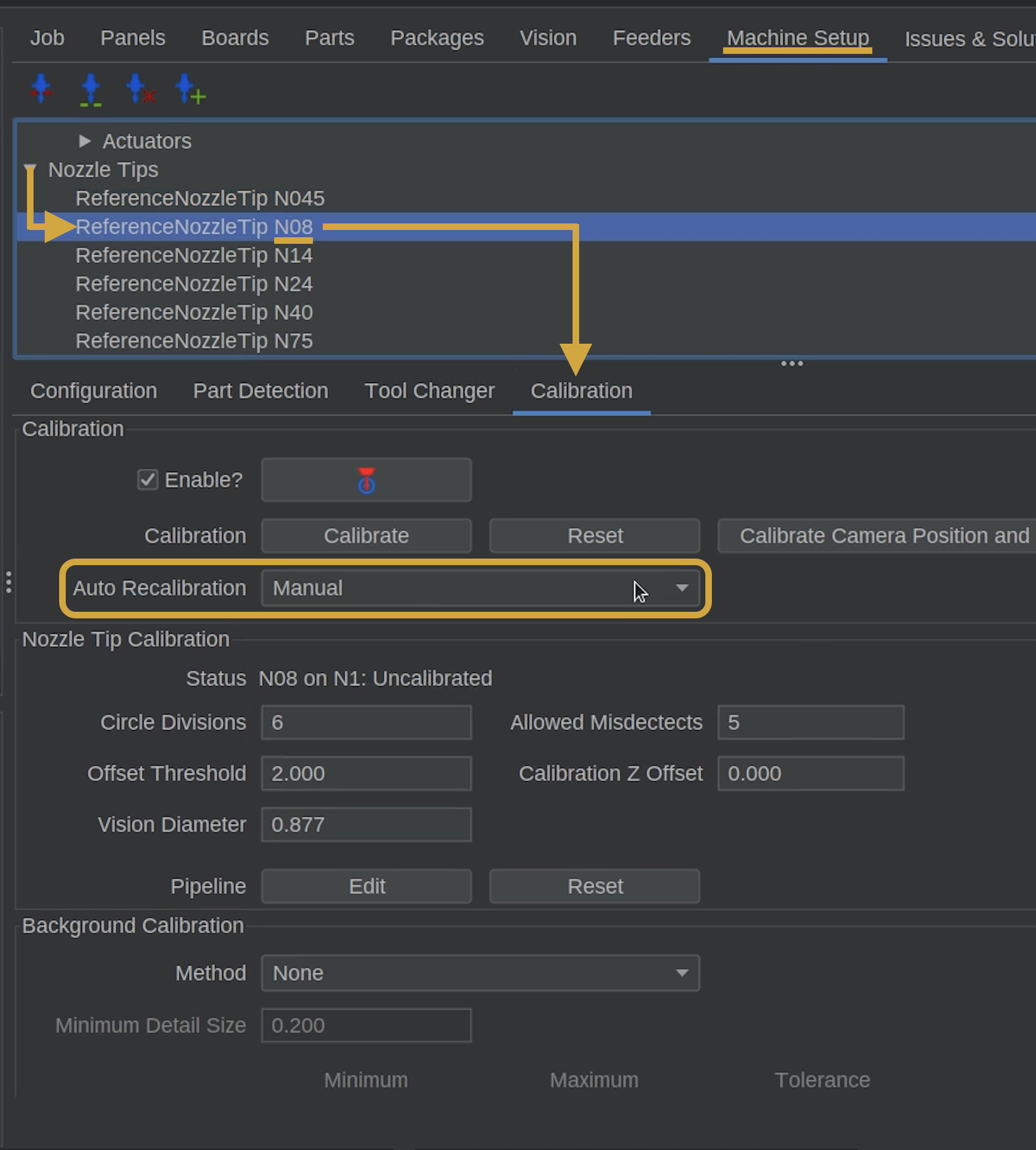
- In the Machine Setup tab, navigate to Nozzle Tips > ReferenceNozzleTip N08.
- Select the Calibration tab.
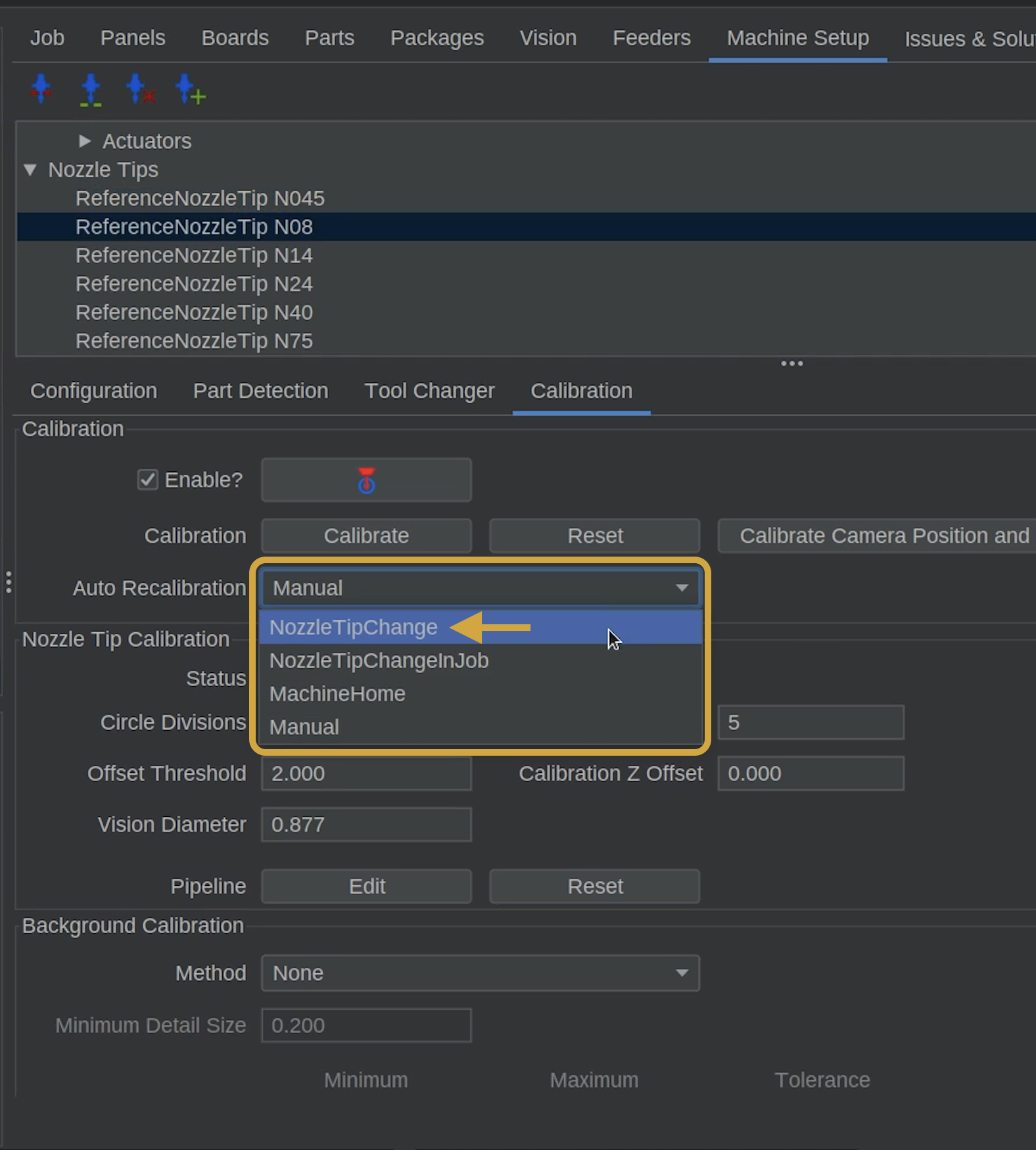
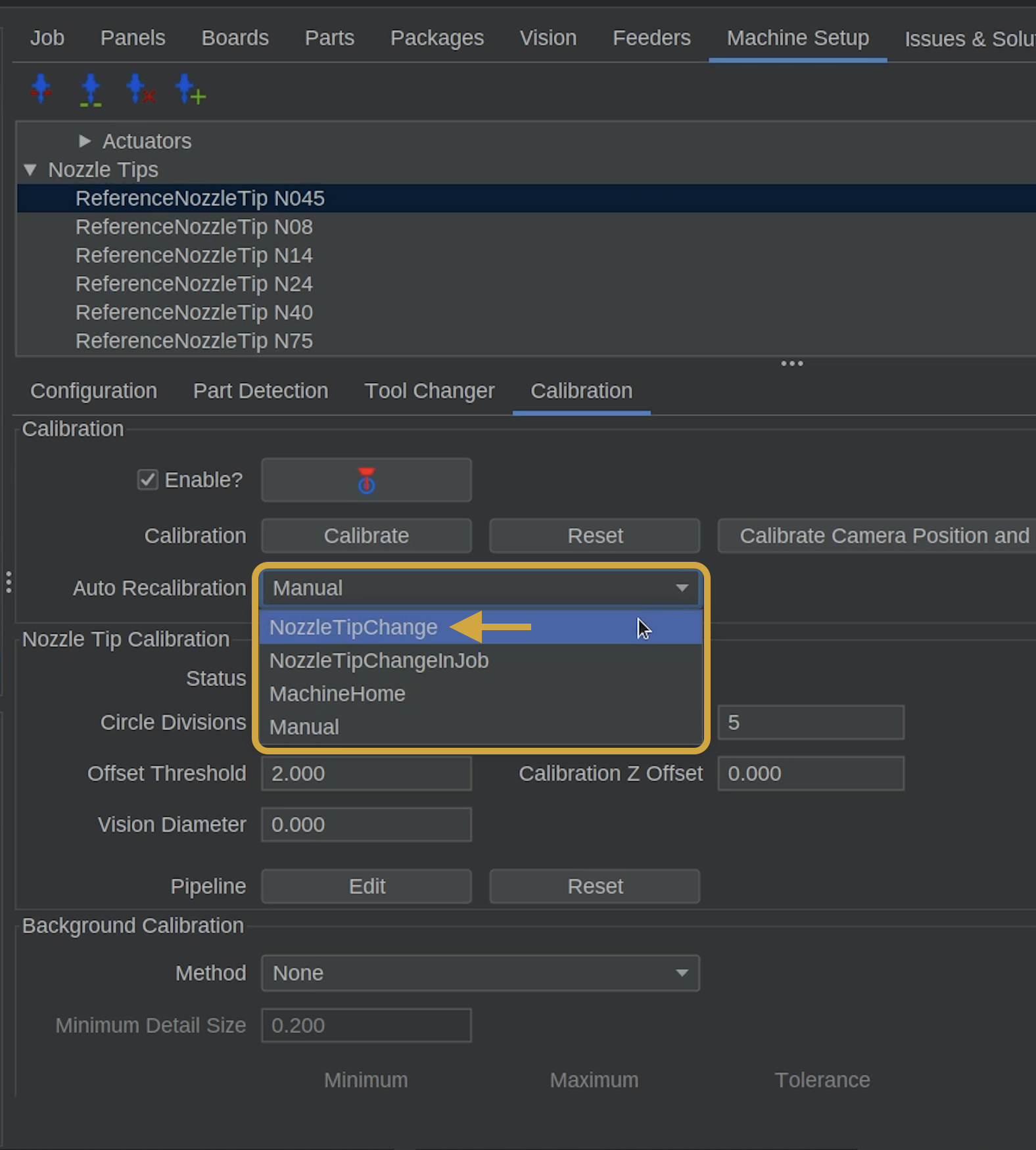
- Locate the Auto Recalibration dropdown.
- Change it from Manual to NozzleTipChange.
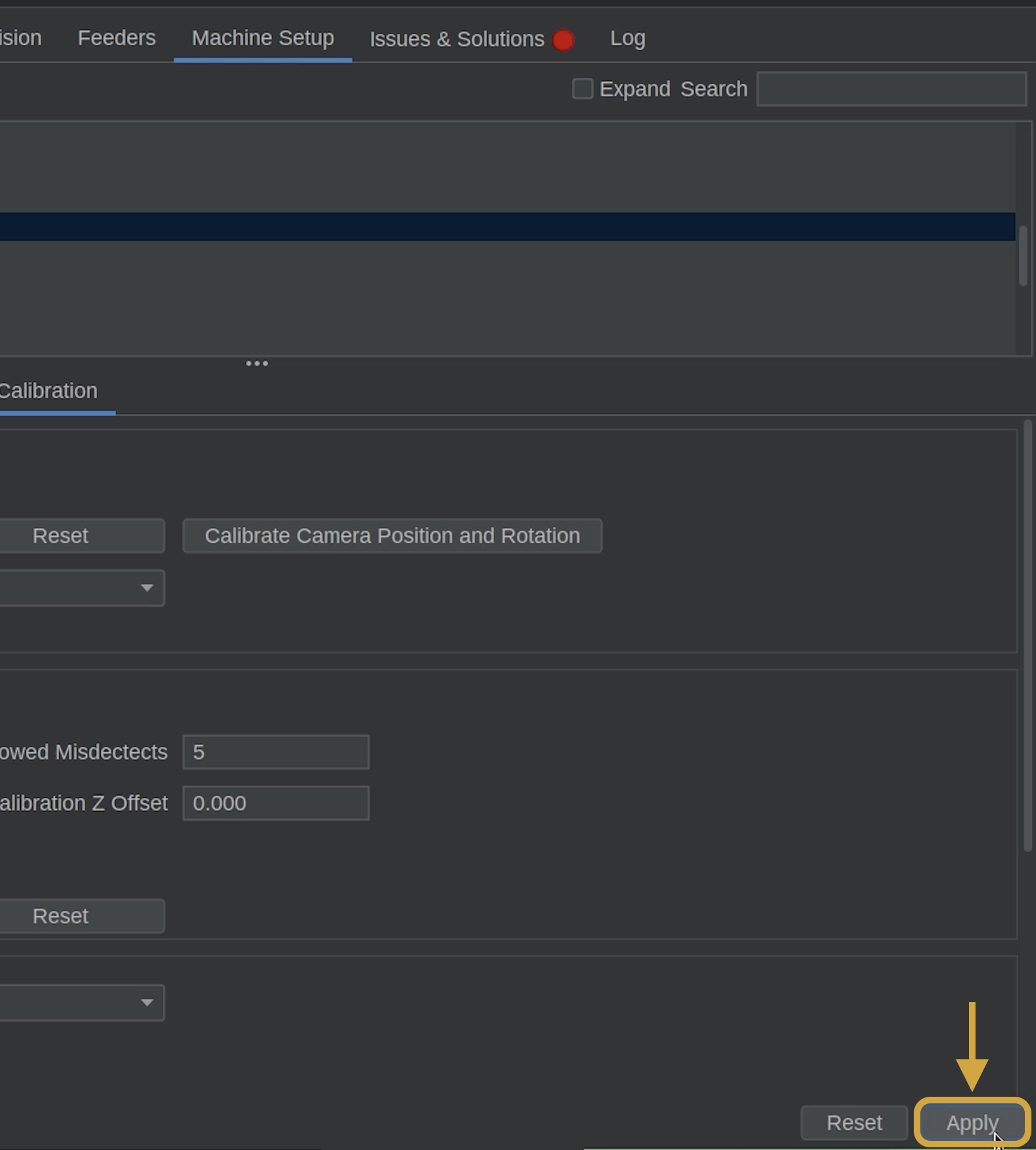
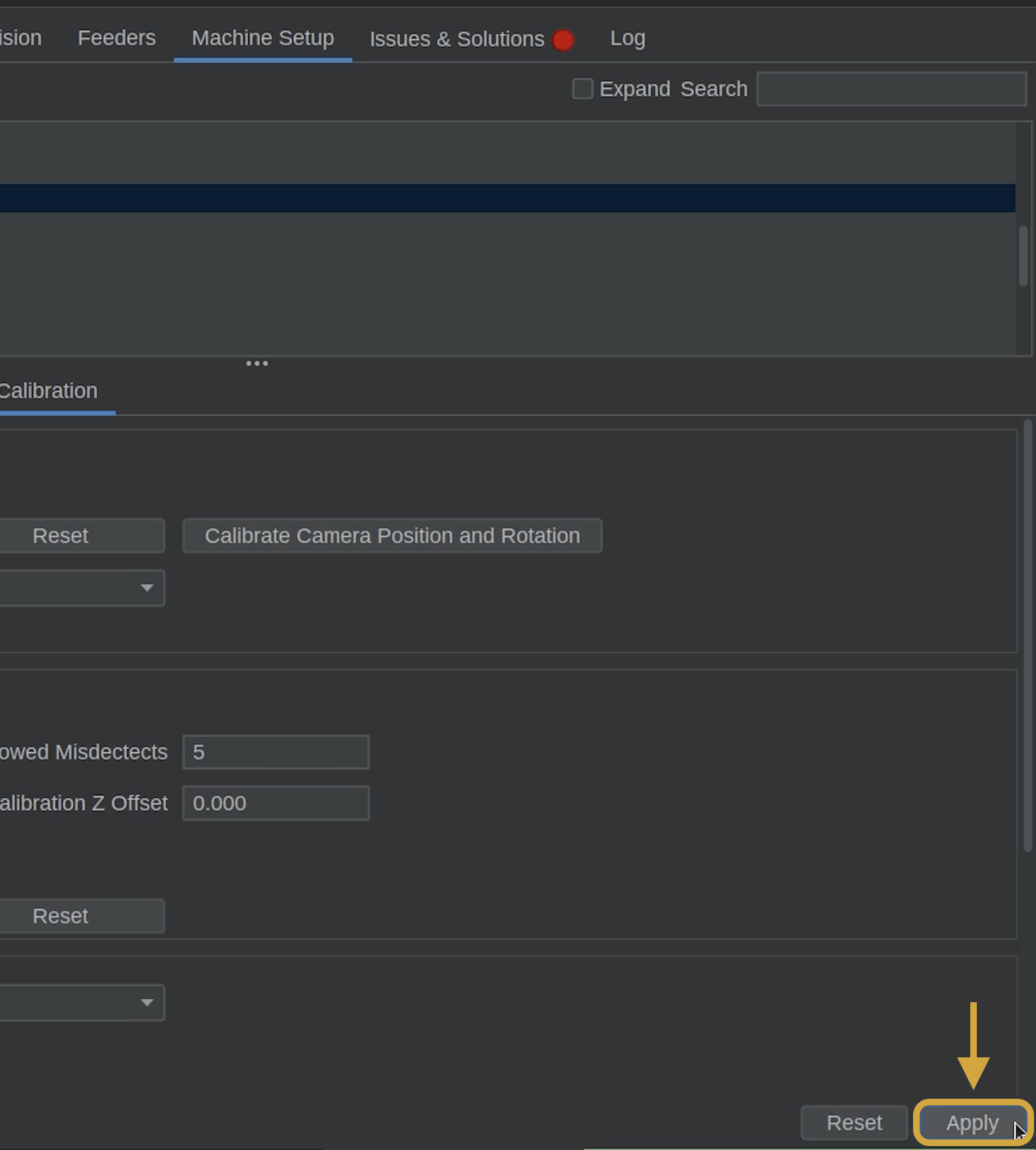
- You must click Apply button in the bottom right of OpenPnP before leaving this screen, or the changes will not save.
What Is Nozzle Tip Runout Calibration?
Nozzle tips may have a small amount of offset as they rotate.
OpenPnP measures this offset using the bottom camera and compensates for it during placement.
Setting Auto Recalibration to NozzleTipChange allows OpenPnP to automatically recalibrate a nozzle tip when it is loaded, including during homing when needed.
Step 4 of 6
Step 4: Enable Auto Recalibration for N045 and Other Tips
- While still in the Nozzle tips section**, navigate to Nozzle Tips > ReferenceNozzleTip N045.
- It should already be on the Calibration tab.
- Locate the Auto Recalibration dropdown.
- Change it from Manual to NozzleTipChange.
- You must click Apply button in the bottom right of OpenPnP before leaving this screen, or the changes will not save.
Configure All Your Nozzle Tips
We recommend changing Auto Recalibration to NozzleTipChange for all nozzle tips included with your LumenPnP.
This prevents you from having to remember to configure them individually later.
Step 5 of 6
Step 5: Home Your LumenPnP
Now that the homing method and nozzle tip calibration settings are configured, we'll test the new homing sequence.
- First go to Files > Save Configuration, in the top left of OpenPnP. Make sure both nozzles and the machine's path are clear of any obstructions.
- In Machine Controls, locate the Home button above the Power button.
- Click Home to start the homing sequence.
- Watch as the machine homes and uses the primary fiducial to establish its precise position.
- OpenPnP will then move the nozzle tips over the bottom camera to perform their runout calibration. Allow the process to finish.
Watch the First Homing Sequence
This is the first time your LumenPnP will use its updated homing method and automatic nozzle tip calibration settings.
Watch the machine throughout the process and make sure the primary fiducial and nozzle tips are detected correctly.
Homing Configuration Complete
Your LumenPnP is now configured to use its calibrated primary fiducial for homing.
Automatic nozzle tip recalibration is also enabled for your nozzle tips.

Step 6 of 6
Next Steps
- Calibration is complete! Next, we'll run a controlled validation test to confirm your LumenPnP is accurately picking and placing components.