Identify Your LumenPnP
Different LumenPnP versions require different configuration files. Select the machine that matches your physical setup to continue.
Not sure which version you have?
You don't need to know your LumenPnP's version number. Compare the bottom camera location, fiducials, and drag chain design in the images below to identify your machine.
-
Left-Side Bottom Camera
LumenPnP V4.2
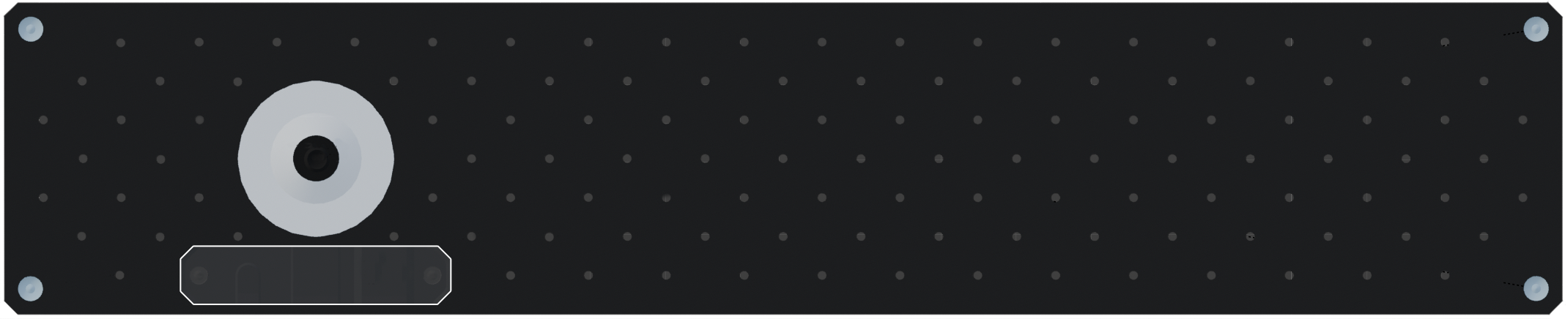
Identifying features:
- Bottom camera on the left side
- Two fiducials on one shared mount
- Built-in calibration disc storage
-
Centered Camera, Two Fiducials
LumenPnP V4.1 / Upgraded V4.0
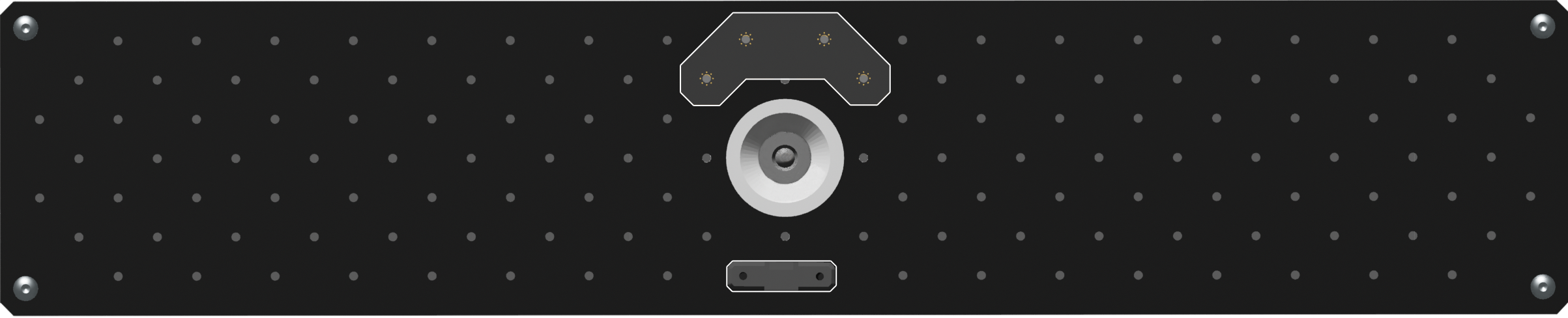
Identifying features:
- Bottom camera is centered
- Primary fiducial on the datum board
- Secondary fiducial across from the datum board
-
Centered Camera, One Fiducial
LumenPnP V4.0
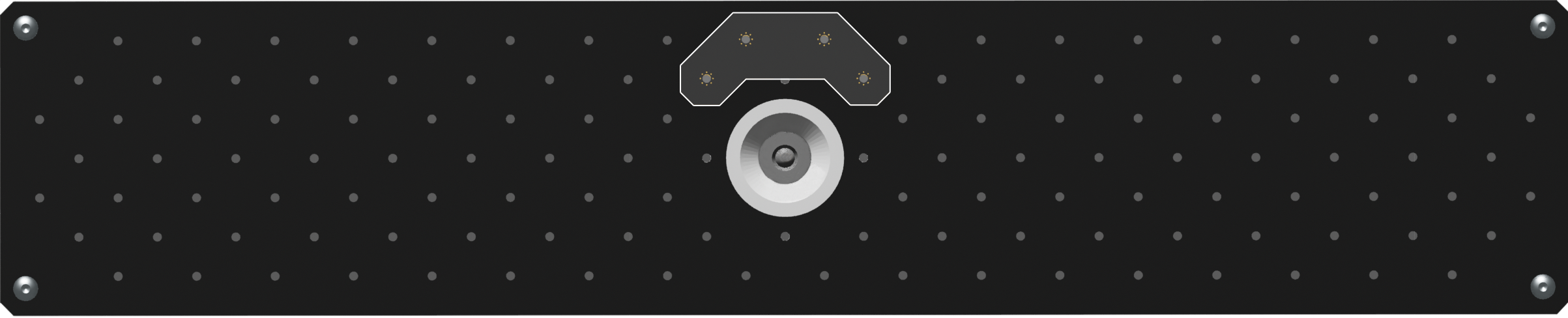
Identifying features:
- Bottom camera is centered
- One fiducial on the datum board
- No secondary fiducial installed
-
Original Drag Chain Design
LumenPnP V3.2 and Earlier
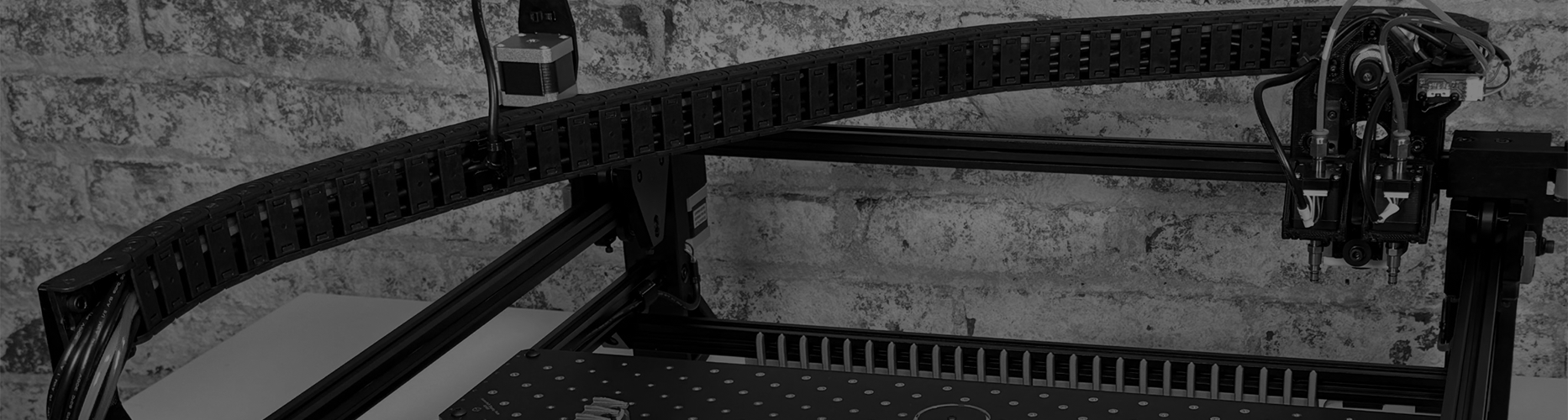
Identifying features:
- Single drag chain extending to the machine head
- Different cable routing than V4 machines
- Uses older configuration files
Why choosing the correct setup matters
Each machine layout requires compatible configuration files for its camera positions, calibration references, and machine settings. V3.2 and earlier machines cannot use V4 configuration files.