Nozzle N1 offsets for the primary fiducial
Step 1 of 5
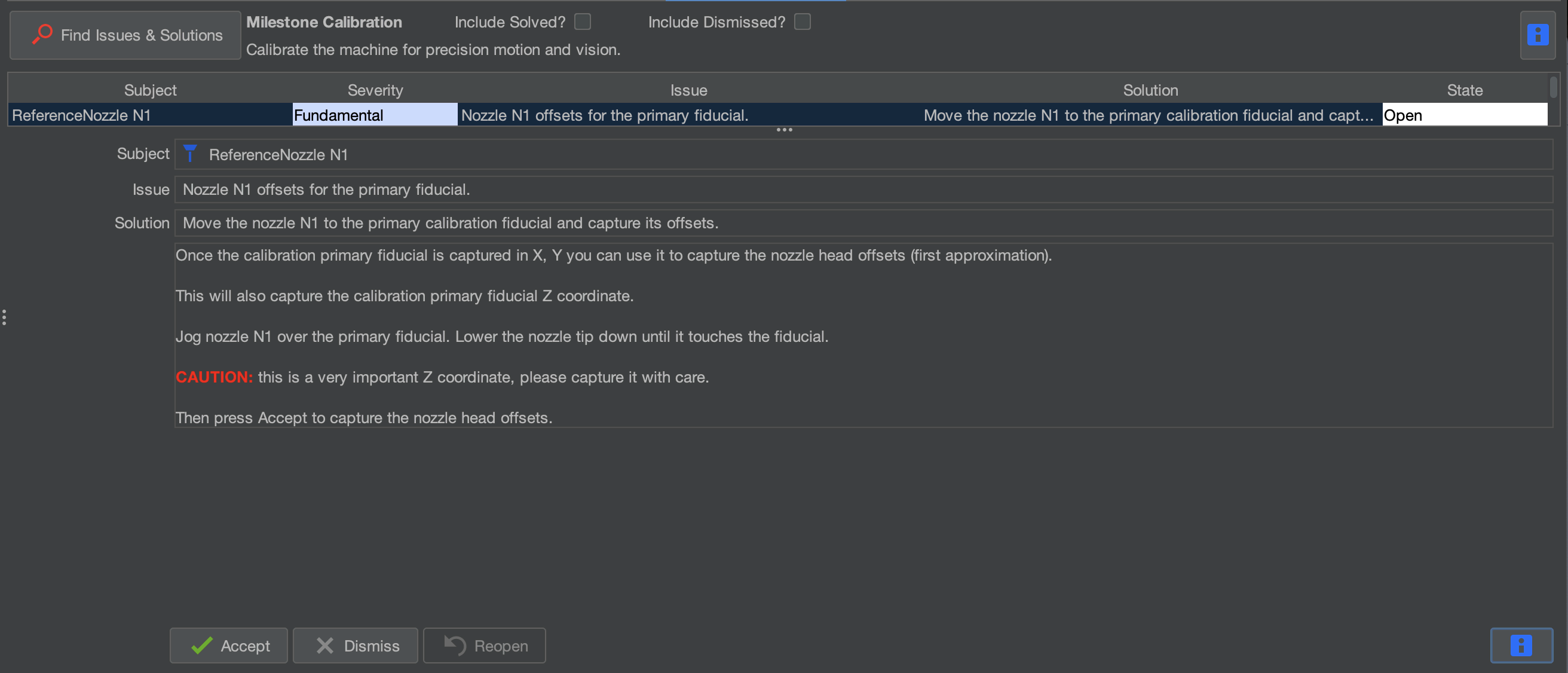
Step 1: Select the Nozzle N1 offsets for the primary fiducial Calibration Task
For this task, we'll precisely align nozzle N1 with the primary fiducial to establish its position relative to the top camera. This will walk you through centering and lowering the nozzle tip onto the primary fiducial. In the end, you want the nozzle tip to be touching the primary fiducial.
- After clicking Find Issues & Solutions in the previous step, locate and select the task for calibrating Nozzle N1 offsets for the primary fiducial.
- Confirm that the N08 nozzle tip is installed on N1 (left nozzle).
Step 2 of 5
Step 2: Align N1 with the Primary Fiducial
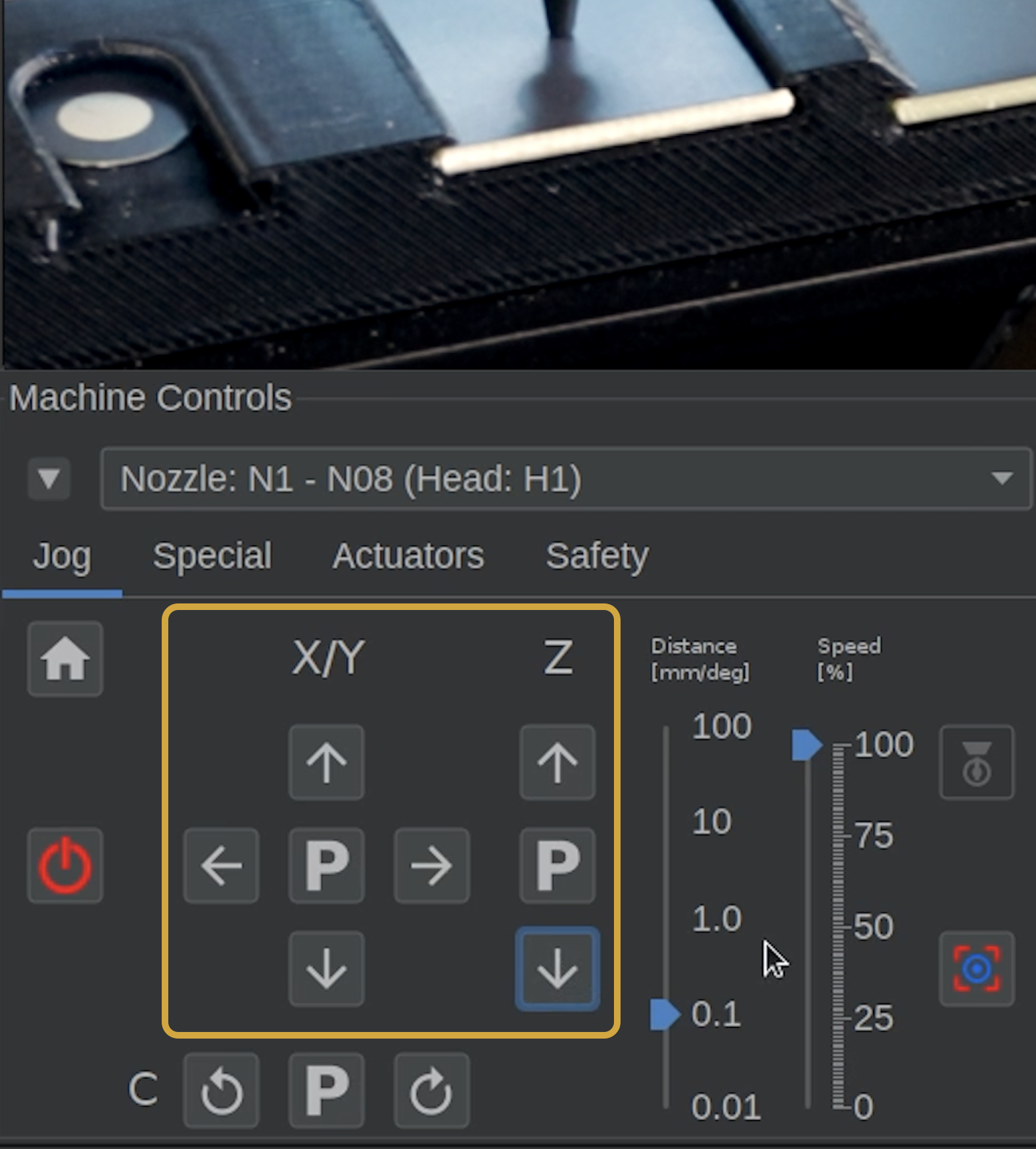
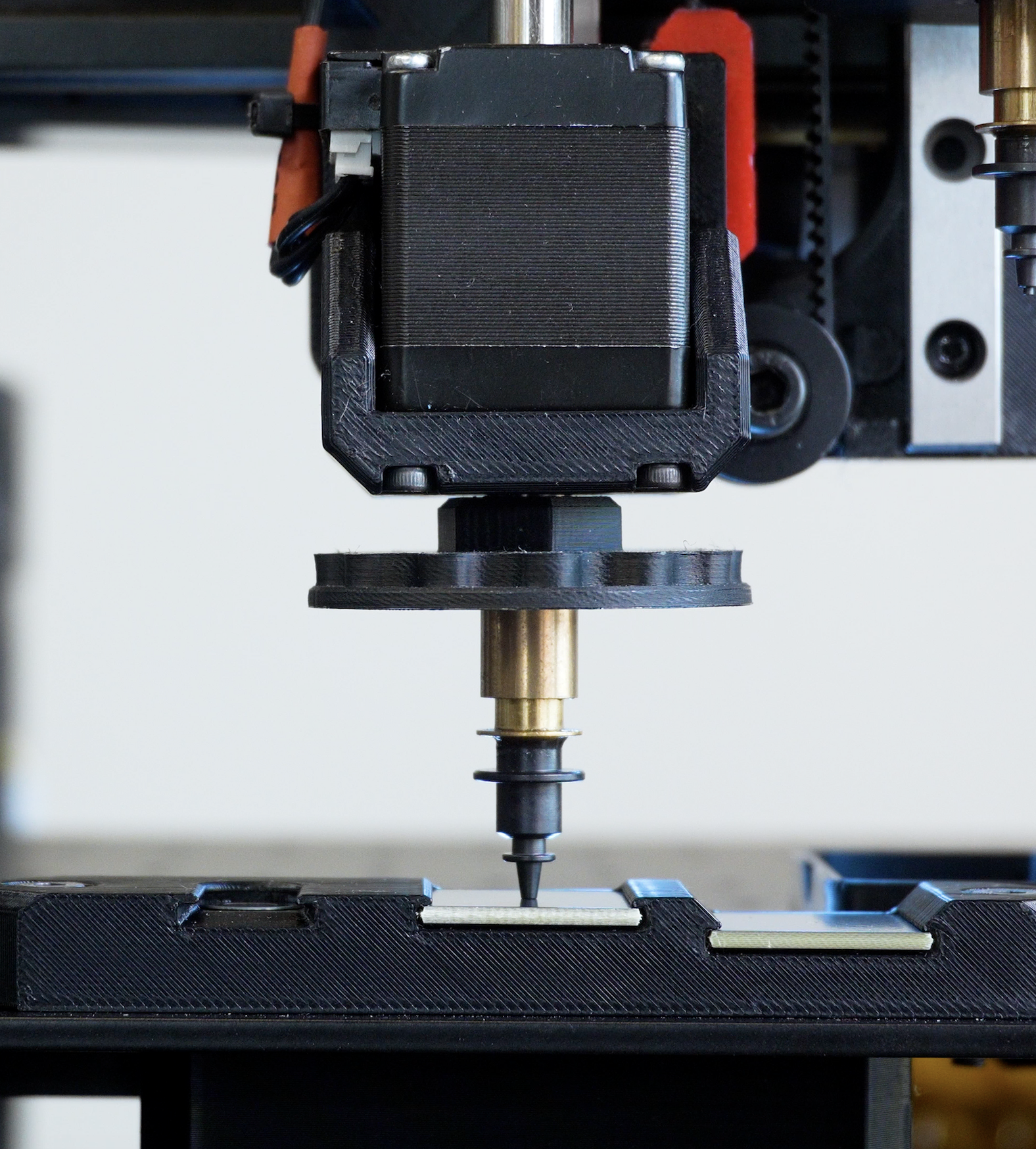
- In Machine Controls, use the X/Y Jog Controls to position the N08 nozzle tip directly on the primary fiducial so they are touching. Nozzle N1 should already be selected.
- When you get the nozzle tip roughly over the primary fiducial, carefully lower the nozzle using the Z-Axis Jog Controls to better judge its position.
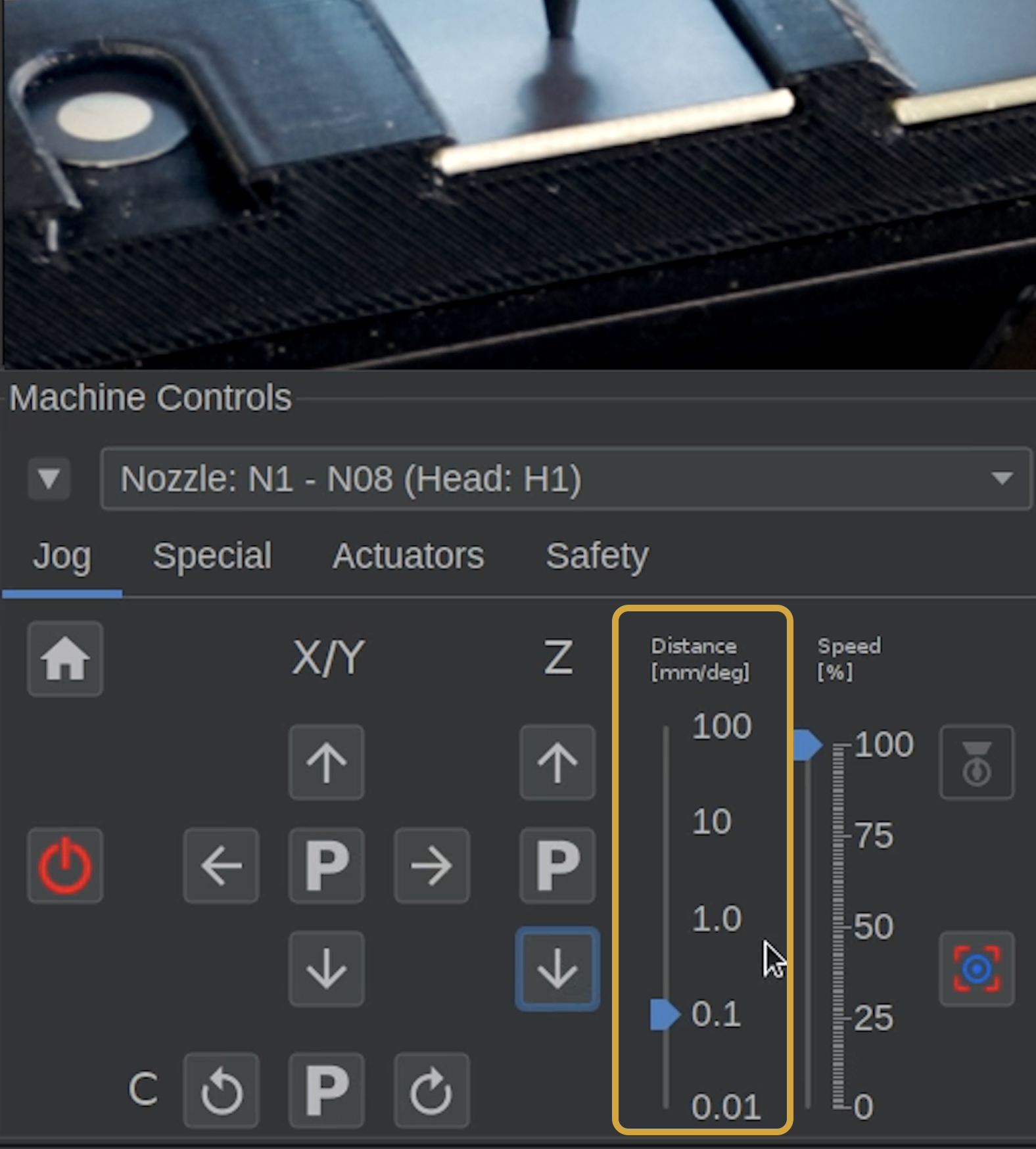
- Use the distance slider for smaller jog distances as you approach the fiducial for precise alignment.
- Keep adjusting the jog controls for X, Y, and Z until the nozzle tip is centered on, and touching, the primary fiducial.
- Make sure to look at the nozzle tips position from multiple angles. Making sure to look from a side angle helps ensure centering is correct.
Take Your Time with Alignment
If needed, use your camera phone and its flash to assist in seeing the nozzle tip on the fiducial better.
The more accurately you center the nozzle tip over the primary fiducial, the more accurate your nozzle positioning will be during the precise calibration tasks towards the end of calibration.
Step 3 of 5
Step 3: Save the Nozzle Position
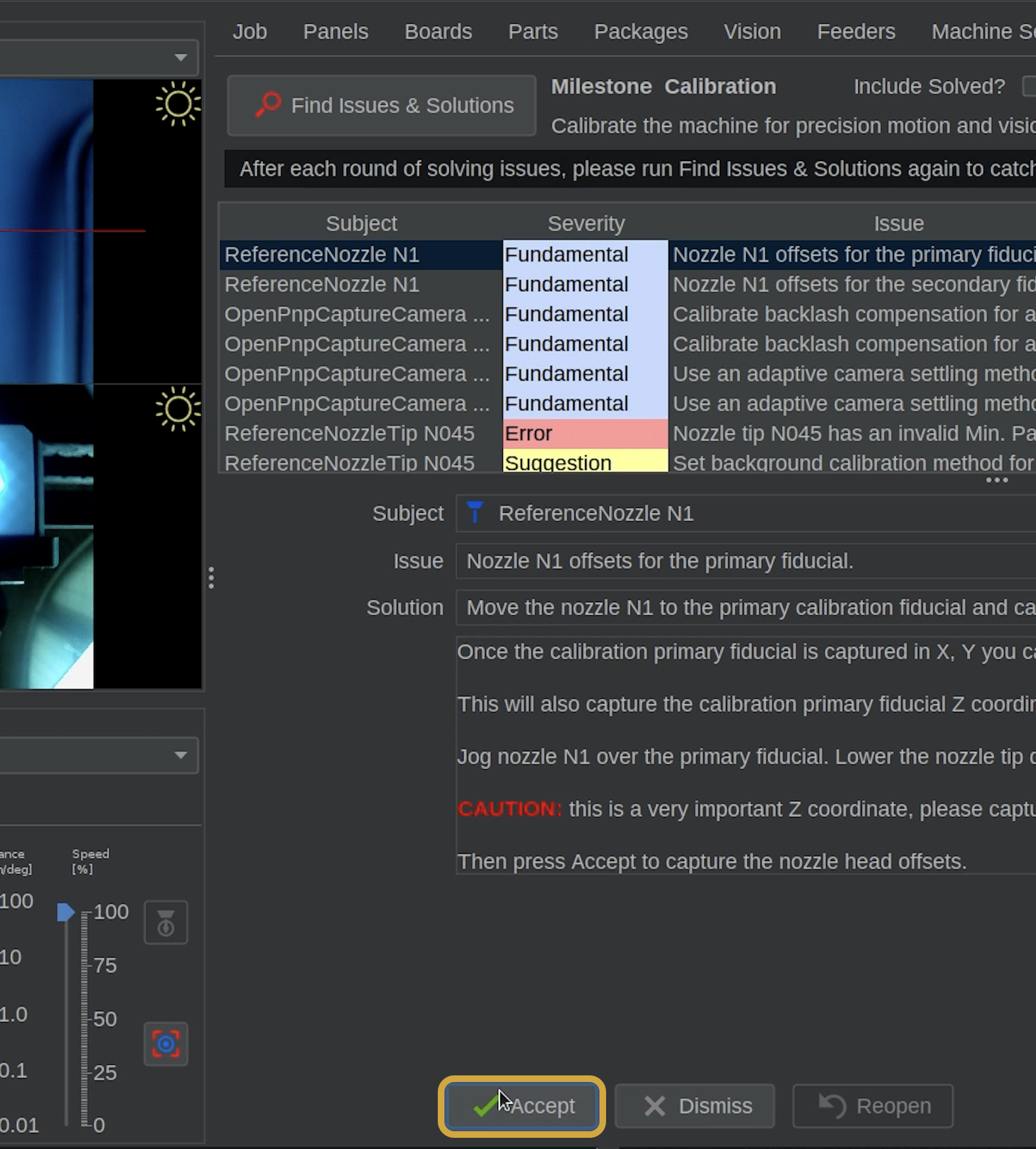
- Once N1 is precisely centered over the primary fiducial, return to the Issues & Solutions task and click Accept to save the nozzle's calibrated position.
- This step does not perform any movement and is completed once you click Accept.
What Does This Calibration Do?
This records the position of nozzle N1 relative to the top camera, allowing OpenPnP to accurately call the camera or nozzle tip to a location and they go to the same exact same spot
Step 4 of 5
Step 4: Refresh Issues & Solutions
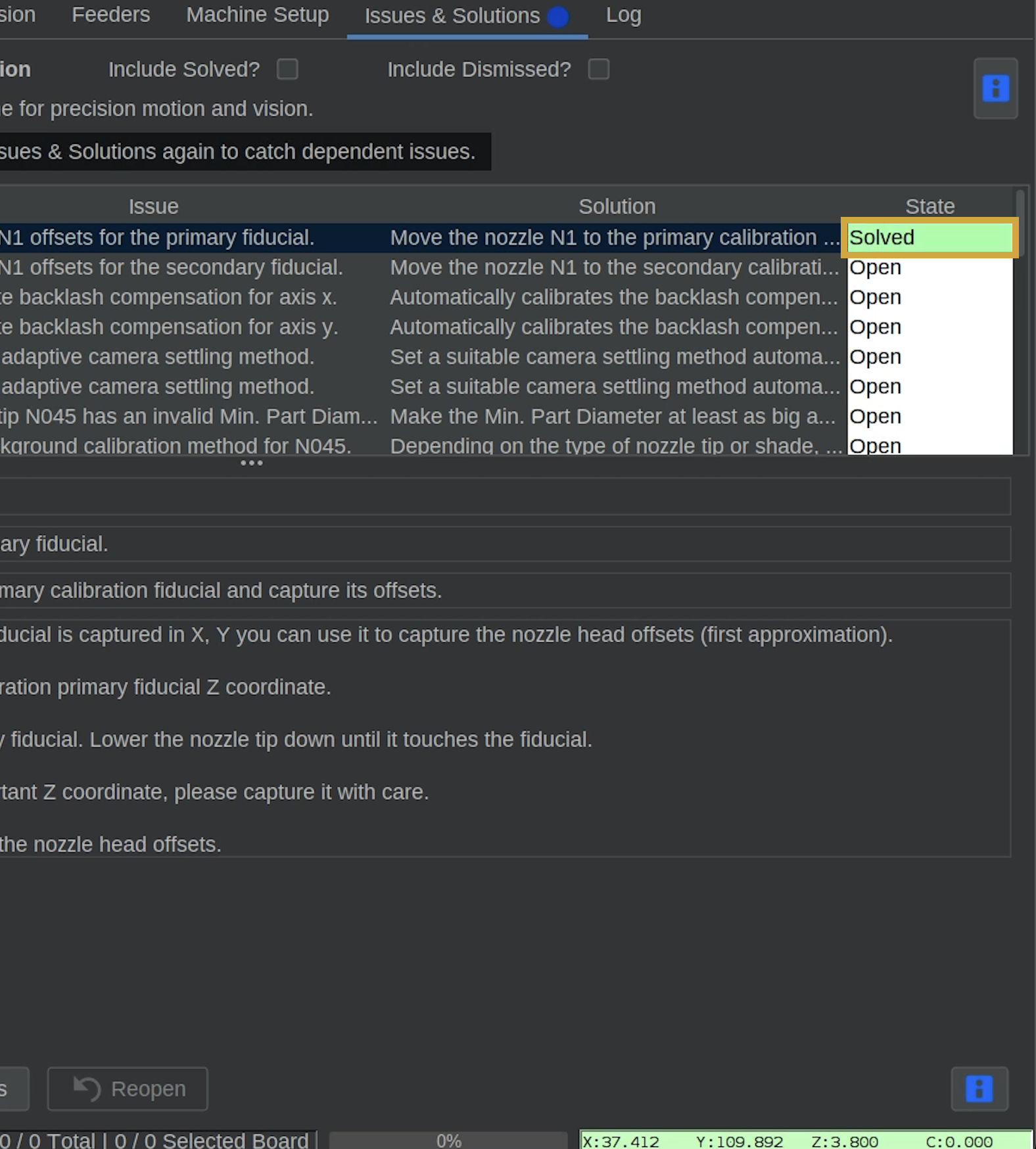
- Confirm the N1 offsets for the primary fiducial task is marked Solved.
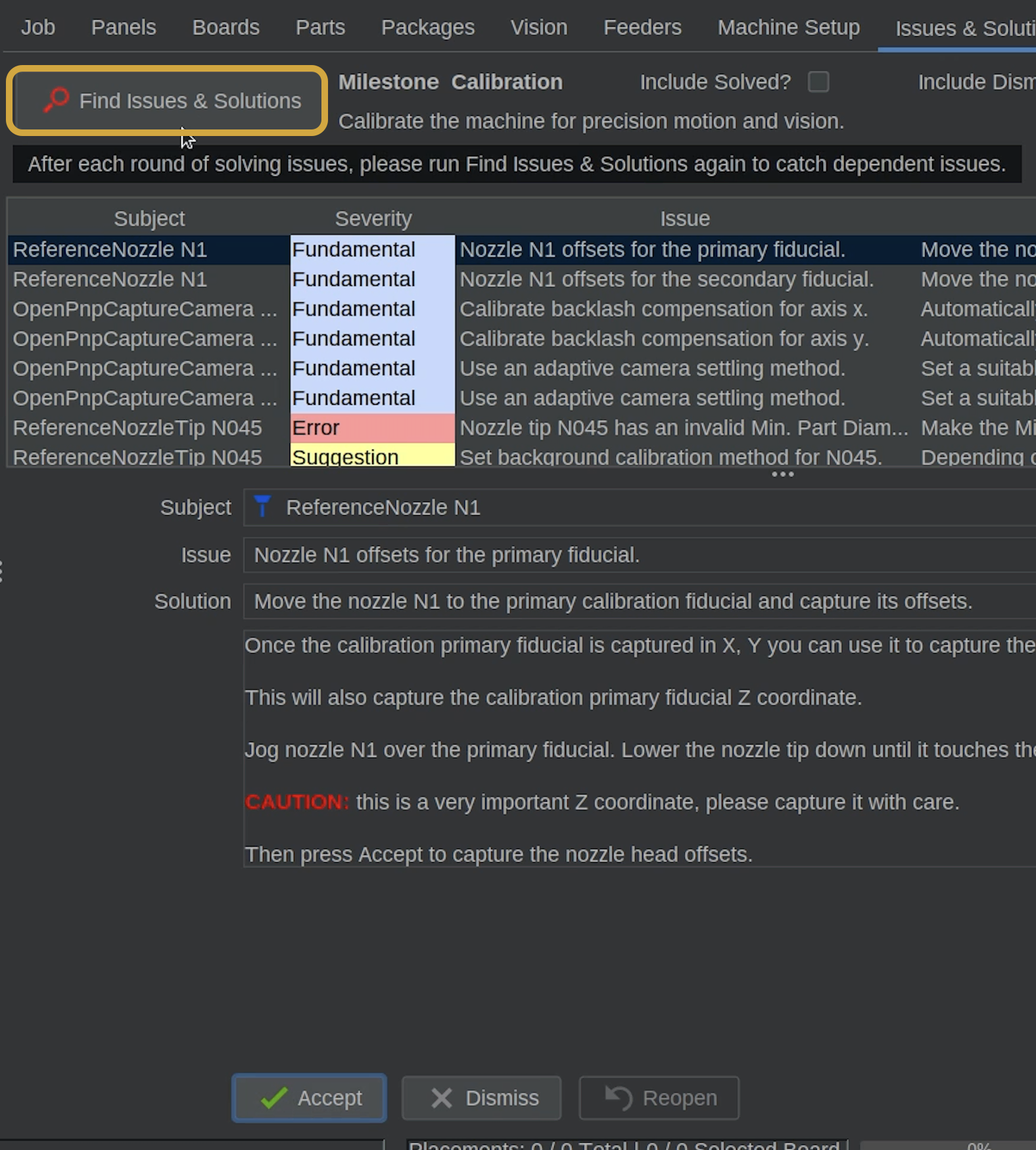
- Click Find Issues & Solutions to refresh the task list.

Step 5 of 5
Next Steps
Nozzle N1 Calibrated
The position of nozzle N1 has been recorded with the primary fiducial.
Next, we'll repeat this process for the Secondary Fiducial.